color palette
#101510
#7ee89a
#00ff41
preview
readme
Weyland-Yutani — an Omarchy theme
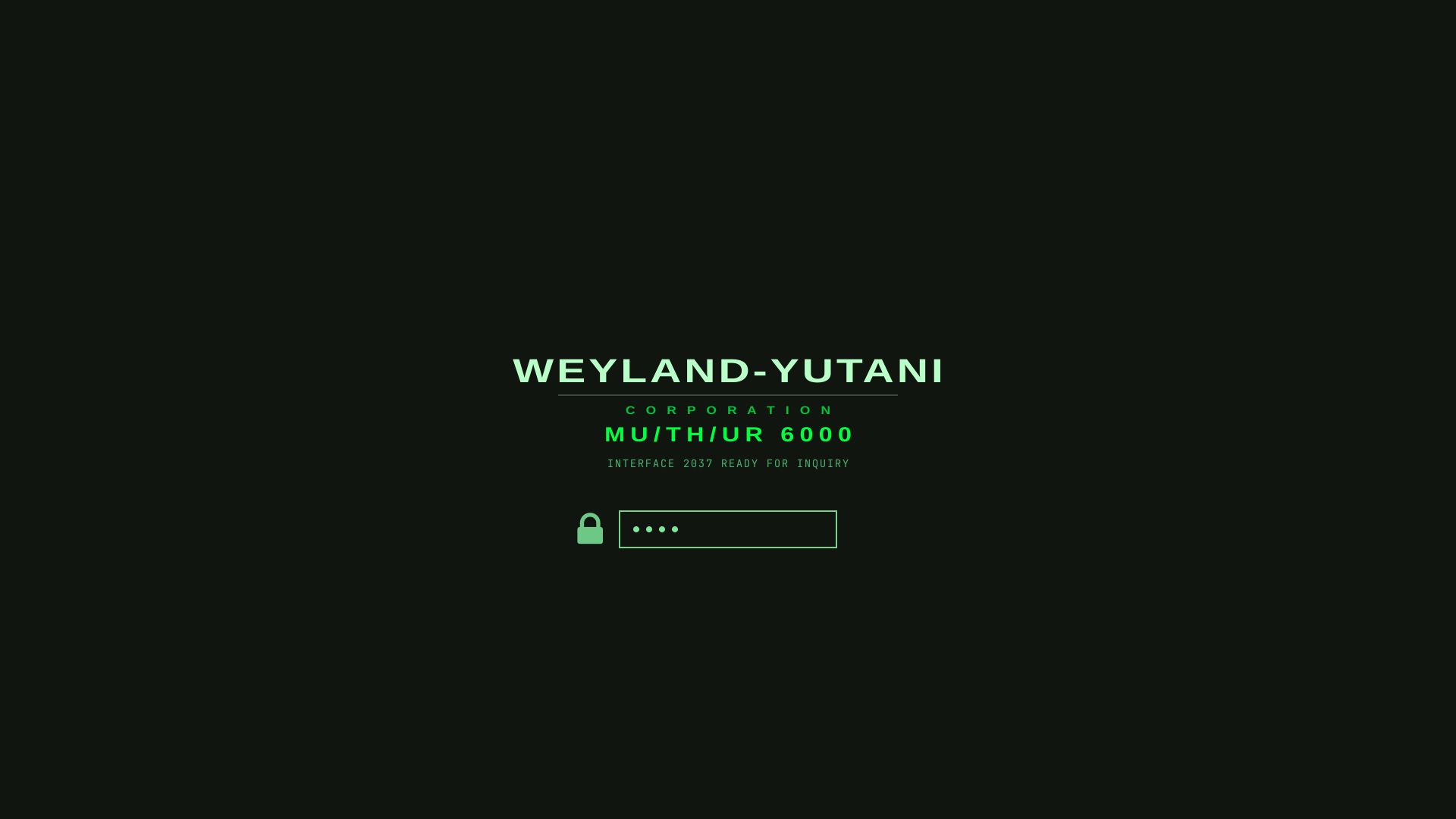
WEYLAND-YUTANI CORP—MU/TH/UR 6000INTERFACE 2037 READY FOR INQUIRY
Phosphor green on warm CRT black, with amber for warnings and industrial red for critical states. Modelled on the MU/TH/UR 6000 terminal and the Nostromo's lower decks.
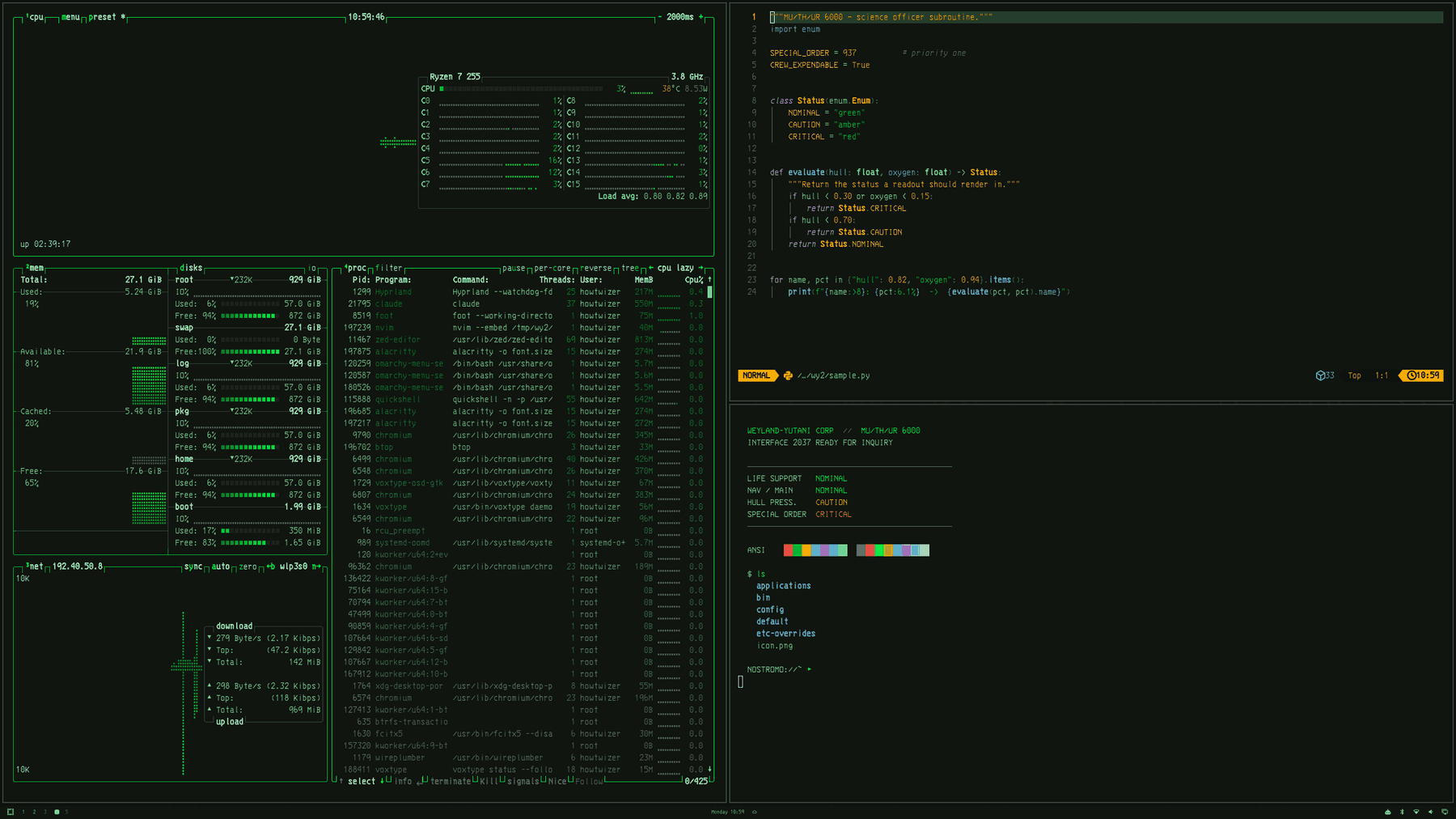
The semantics are consistent everywhere, and they are the point of the theme:
| green | nominal |
| amber | caution |
| red | critical |
Nothing resting is red. Nothing failing is green.
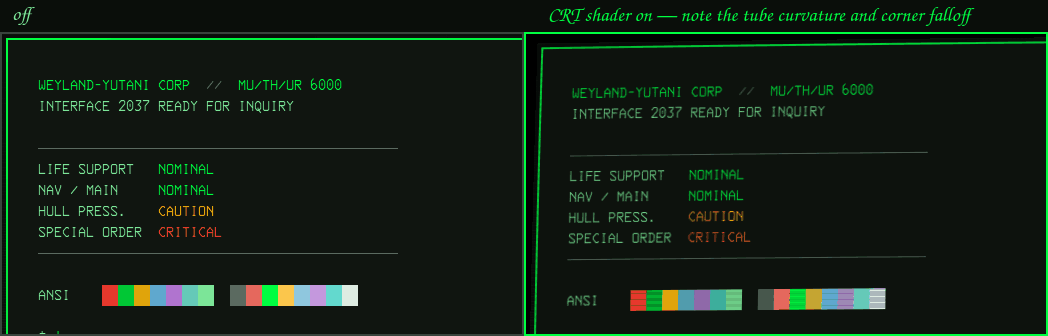
It also ships a CRT shader — scanlines, phosphor tint, rounded tube corners — with an on/off row in the Omarchy menu. Off until you ask for it.
Install
Super + Alt + Space → Install → Style → ThemePaste the repo URL. Or from a terminal:
omarchy theme install https://github.com/abaidan/omarchy-weyland-yutani-theme.git
omarchy theme set weyland-yutani
Then, for the boot screen:
Super + Alt + Space → Style → Unlock → Weyland YutaniUse the menu rather than calling omarchy-plymouth-set-by-theme yourself — it
needs root, and the menu wraps it in a terminal that can prompt for a password.
Gallery
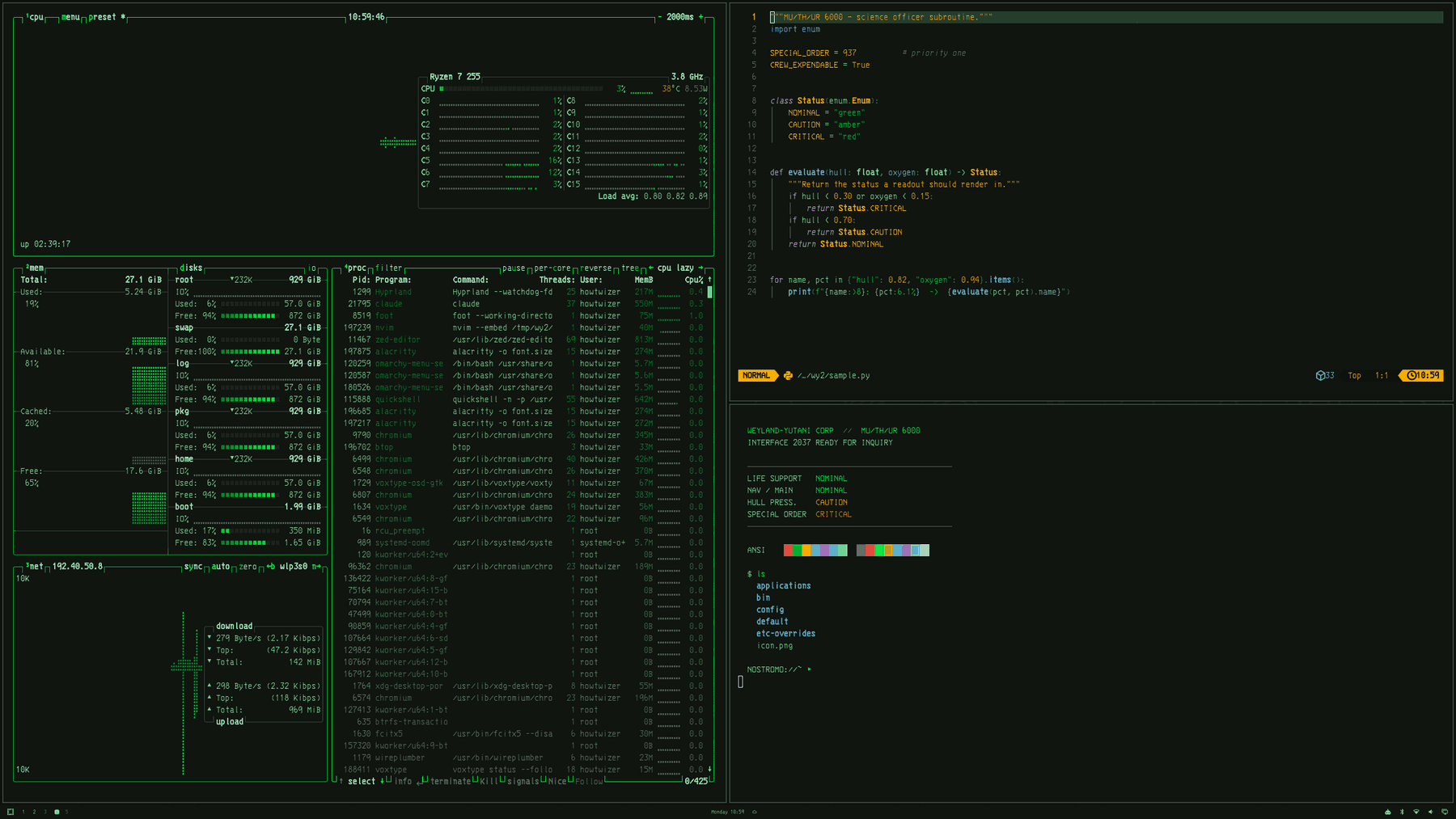
Terminal, btop and nvim — btop is monochrome phosphor: hue is never used to separate two panels that are both fine, pressure meters run green→red, and headroom runs dim→bright.
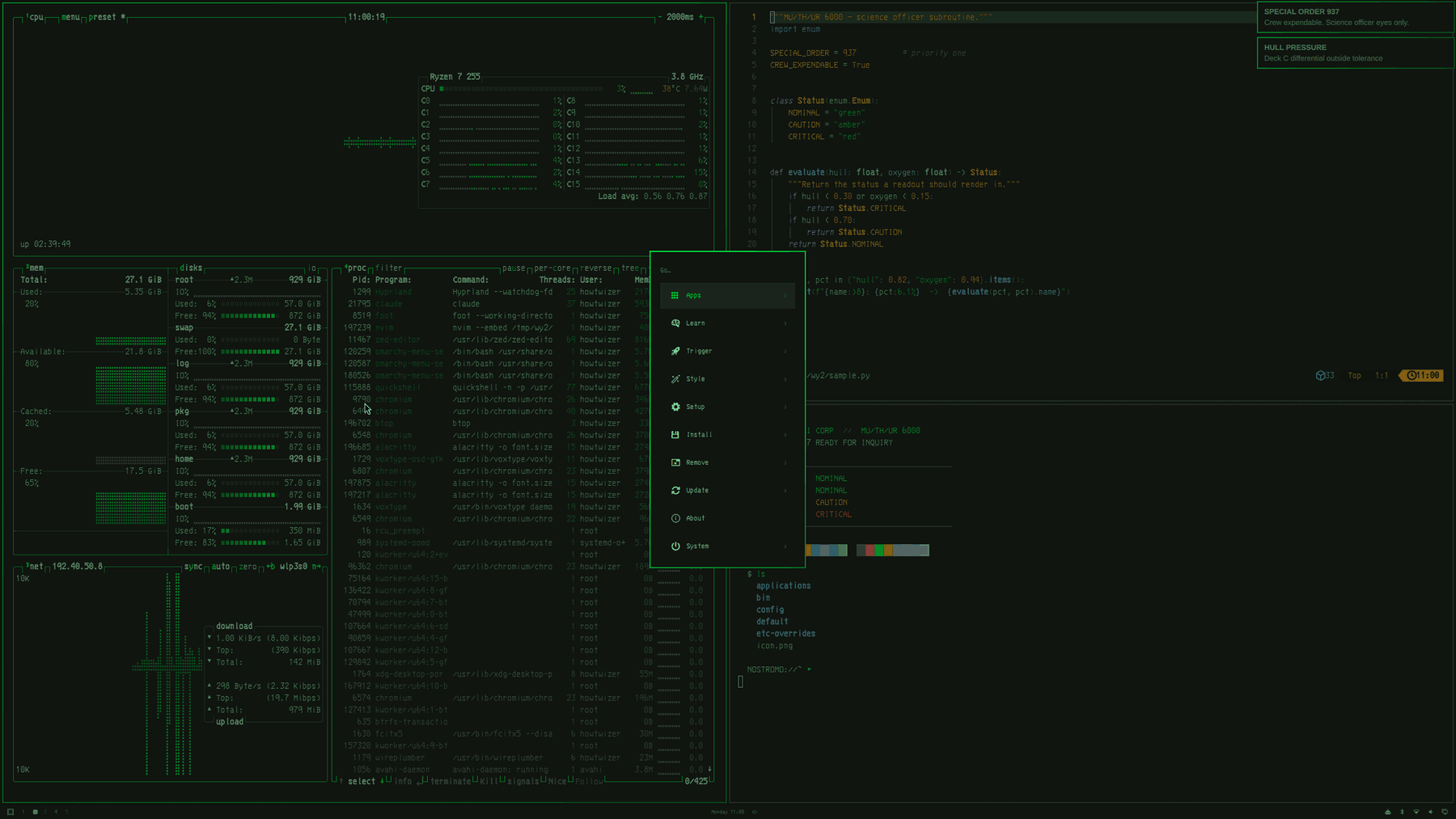
Bar, unified menu and notifications
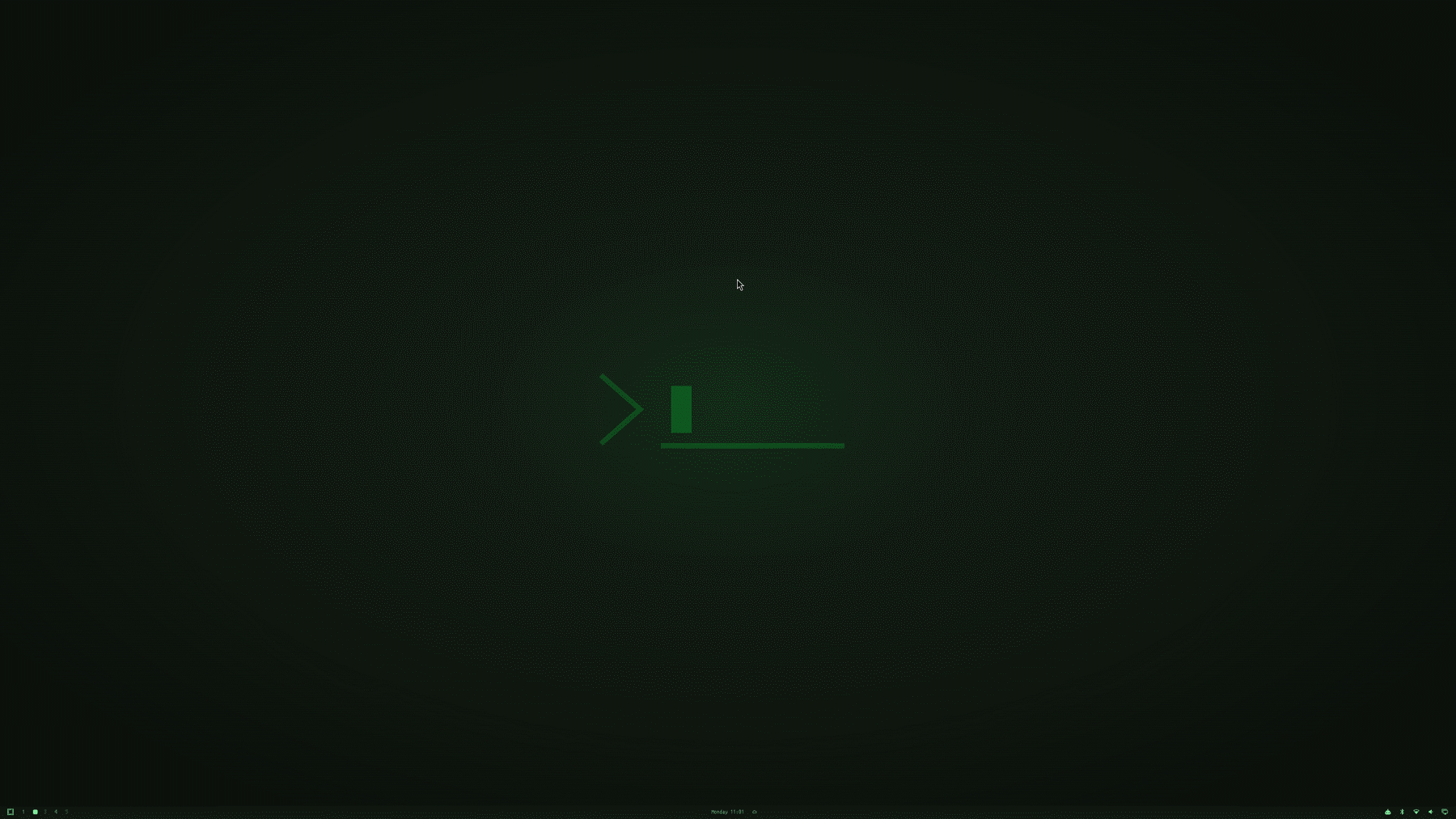
Desktop
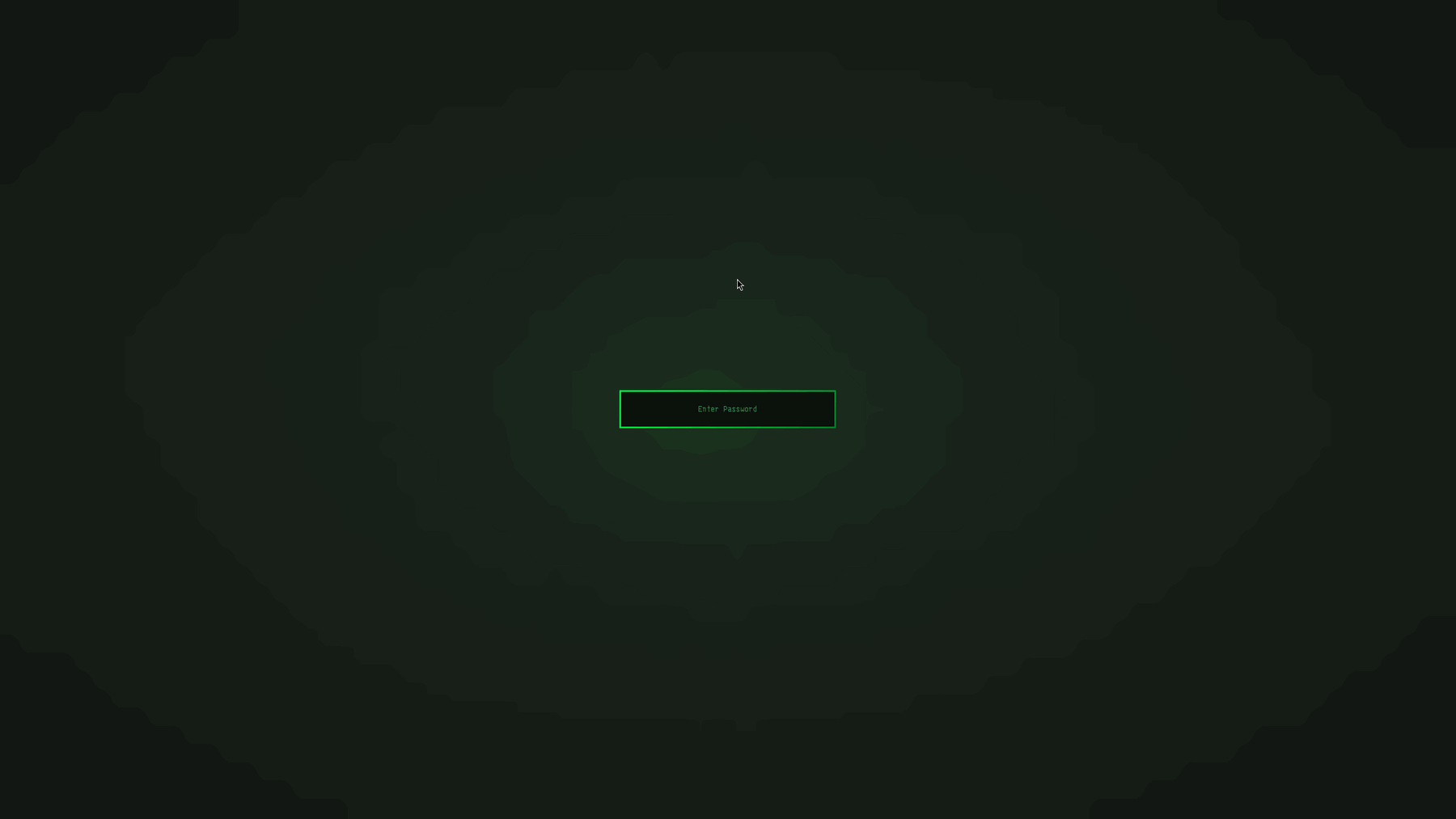
Lock screen — the password field as a phosphor terminal prompt, red on refusal.
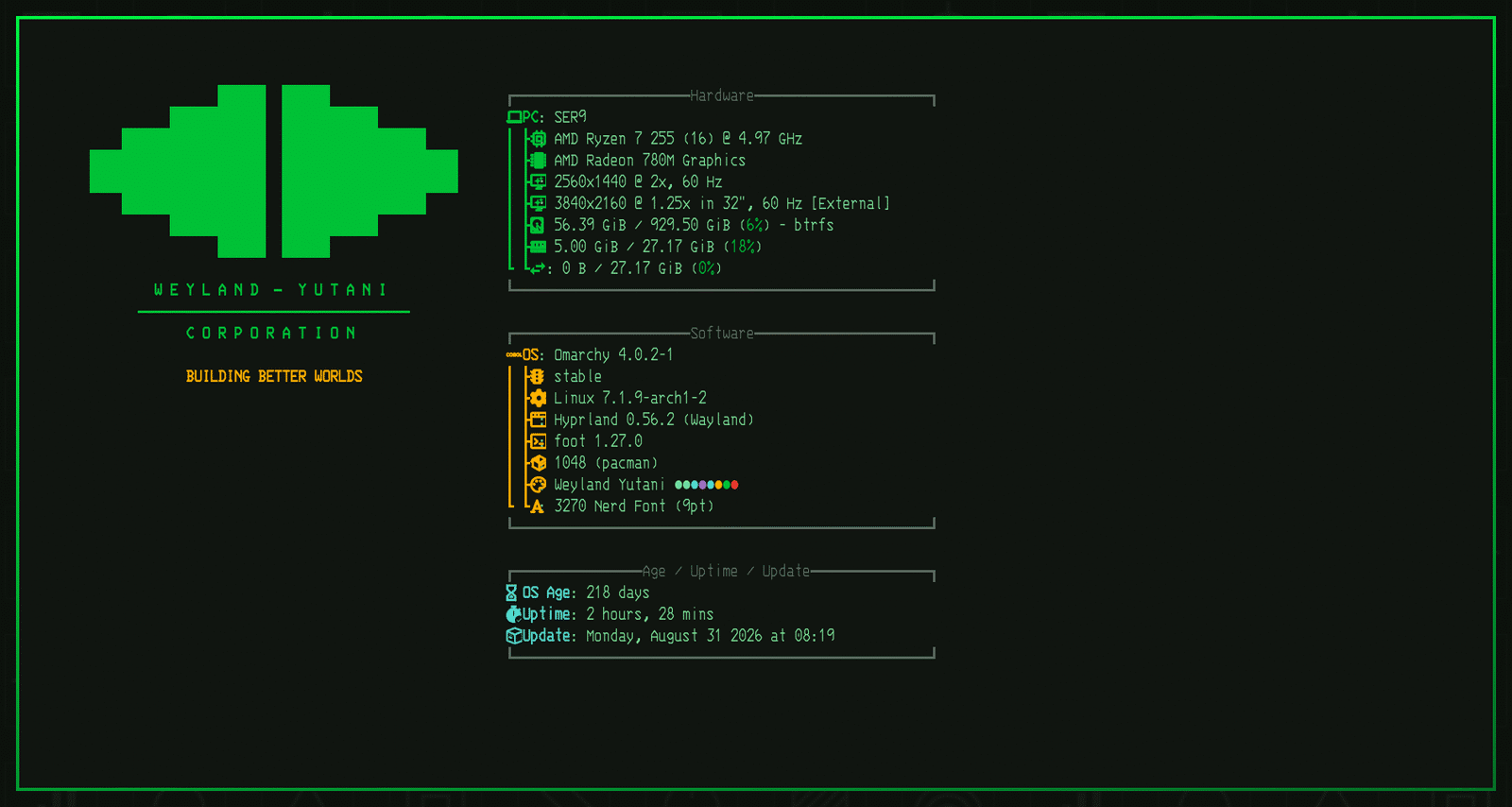
About screen — the wings insignia, wordmark and BUILDING BETTER WORLDS,
with the optional fastfetch config's amber tagline and theme-tinted module keys
(Hardware green, Software amber, Age/Uptime cyan).
Boot screen
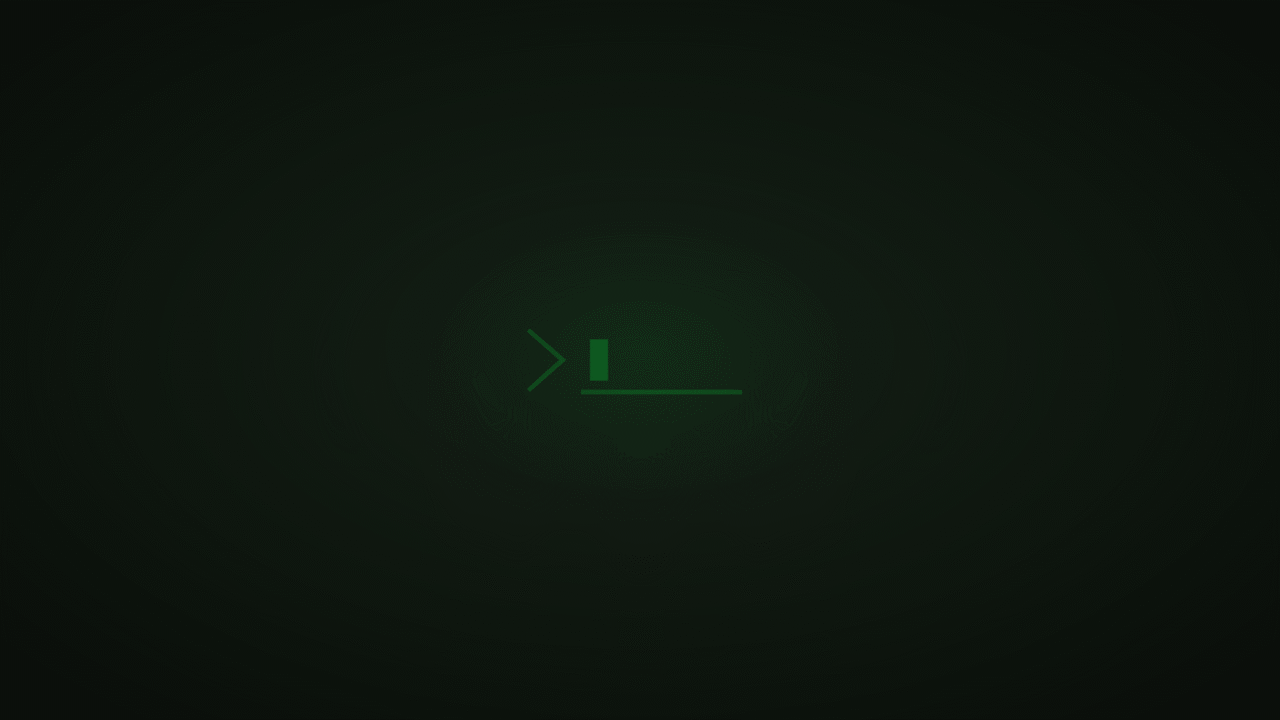
Wallpapers — all three drawn from SVG in assets/, 3840×2160.
1-muthur-terminal | 2-semiotic-grid | 3-hull-dark |
|---|---|---|
 |  |  |
CRT mode
The shader that makes the whole desktop a phosphor tube: scanlines, a luminance-weighted green tint, rounded tube corners and a vignette.
It does not bend the picture. A screen shader moves pixels but not the pointer, so barrel curvature puts what you see and what you click in different places — see Before you leave it on.
It ships with the theme but stays off until you ask for it. To install the toggle and the menu row:
git clone https://github.com/abaidan/omarchy-weyland-yutani-theme.git
cd omarchy-weyland-yutani-theme
./bin/install-extras.sh     # answer y to "Install the CRT shader…"
After that it is a menu row, and the row shows a ✓ while it is on:
Super + Alt + Space → Style → CRT shader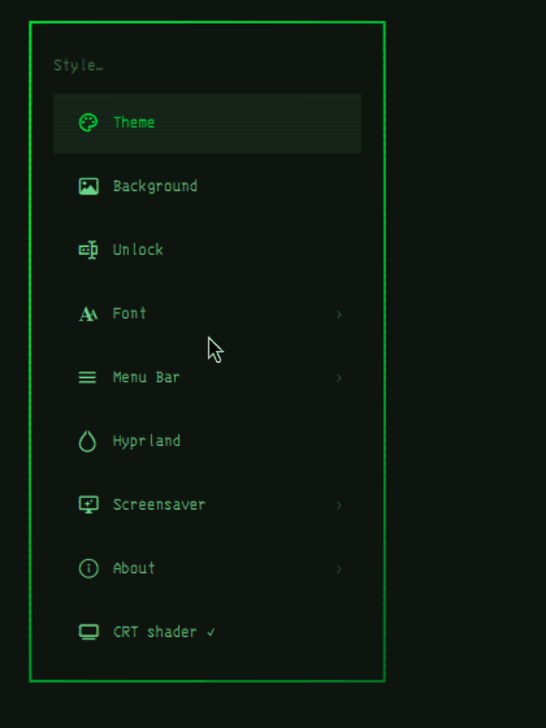
Or from a terminal, which is also what a keybinding would call:
omarchy-wy-crt on | off | toggle | statusstatus exits 0 when the shader is active, which is how the menu row decides
whether to show its checkmark. The installer adds the same treatment to
Omarchy's built-in bar-position rows.
For a keybinding, add to ~/.config/hypr/bindings.conf:
bindd = SUPER SHIFT, C, CRT shader, exec, omarchy-wy-crt toggle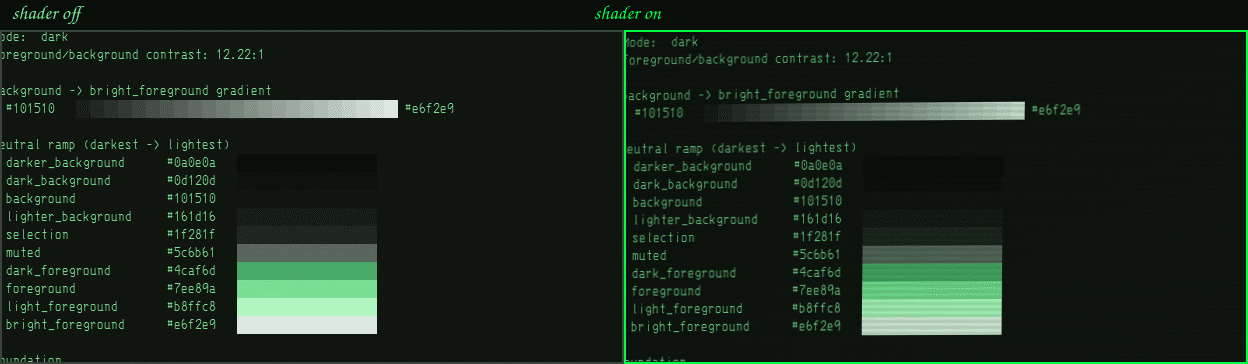
It follows the theme
Switch to another theme and the shader turns itself off; switch back and it returns — but only if it was on when you left. A phosphor-green tint is right for this theme and wrong for Tokyo Night.
That is a theme-set hook in ~/.config/omarchy/hooks/theme-set.d/, which
Omarchy runs after every theme change. Intent is stored separately from the
live state, so returning to the theme never silently re-enables a shader you
had deliberately turned off.
Font, bar position and About branding are deliberately left alone. In Omarchy those are global user settings, not part of a theme, and a theme that rewrote them on every switch would be a bad citizen — someone may have picked their font for readability rather than for looks. If you do want the font to follow the theme too, add to the same hook:
[ "$1" = weyland-yutani ] \
  && omarchy font set "3270 Nerd Font" \
  || omarchy font set "CaskaydiaMono Nerd Font"
Before you leave it on
- It costs GPU time every frame, at your full output resolution. On a 4K panel that is not free.
- It tints everything, including photos, video and screenshots you share. Colour work is not possible with it on.
- It relaxes damage tracking to per-monitor (
debug:damage_tracking = 1) for as long as it is on, and puts your previous value back onoff. Without that, Hyprland re-renders only the rectangles that changed and the shader runs on those alone — see below. - Curvature is off, and should stay off.
CURVATUREmoves pixels; it cannot move the pointer with them. At the old default of0.028a click near the edge of a 4K panel landed about 15px from where the button looked, which is enough to miss it. The rounded corners you can see are a mask, not geometry, so they cost nothing.
The constants at the top of crt.glsl are the tuning surface. Set SCANLINE
and TINT to 0.0 for the tube shape alone, or CORNER to 0.0 for square
corners. Re-run omarchy-wy-crt on to pick up an edit.
If hovering makes a rectangle flicker
Hyprland re-renders only what changed. A screen shader whose output depends on where a pixel is — scanlines, a vignette, any curvature — then runs on that rectangle alone and disagrees with the rest of the screen along its edges. What you see is the area under the cursor shimmering out of step as you move.
omarchy-wy-crt on already sets debug:damage_tracking = 1, which re-renders
the whole monitor whenever anything changes. If you still see it, 0 re-renders
every frame unconditionally — correct, and a real cost in power:
hyprctl eval 'hl.config({ debug = { damage_tracking = 0 } })'If it appears to do nothing
Hyprland reports shader failures in a red banner across the top of the
screen and nowhere else — nothing reaches hyprland.log, and the banner
fades. It can also linger from an earlier failure after a later load succeeded.
The dialect is the usual cause. Hyprland 0.56 compiles screen shaders as
GLSL ES 3.00 and passes your fragment source verbatim, prepending no
#version. The older varying / texture2D / gl_FragColor form that most
CRT-shader examples still use compiles as ES 1.00 and then fails to link
against Hyprland's ES 3.00 vertex shader — silently. This shader declares
#version 300 es and uses in, texture() and
layout(location = 0) out vec4 fragColor.
Built against
Omarchy 4.0.x "Quattro" — package 4.0.2-1, with
/usr/share/omarchy/version reporting 4.0.0.alpha. Hyprland 0.56.2.
The theme format was read from the installed tree rather than guessed; the
findings — including several places where Quattro differs from what you might
expect — are written up in NOTES.md.
Contrast is measured, not eyeballed: foreground on background is 12.22:1
(WCAG AAA is 7:1), every lock-screen text colour is AA or better, and each
wallpaper was checked at its brightest region against the theme's text
colours, worst case 6.46:1.
Recommended font
The theme cannot set your font: in Quattro the font is a system-wide user
setting (omarchy font set rewrites your own terminal configs), not a theme
file. For the full MU/TH/UR effect:
# IBM 3270, Nerd Font patched -- the Nostromo's actual on-screen face.
# In the official `extra` repo, so no AUR helper and no build.
sudo pacman -S ttf-3270-nerd
omarchy font set "3270 Nerd Font"
Run that in a real terminal — sudo needs a TTY to prompt for your password.
VT323 is a rounder-CRT alternative; Share Tech Mono trades some period
accuracy for readability at small sizes. Any Nerd Font works — the palette does
the heavy lifting.
Terminal background opacity is also a user setting. The palette is designed for
a fully opaque background; if you want the CRT-glass look, about 0.96 keeps
text crisp.
Optional: the industrial look
Window borders ship with the theme — active windows get a phosphor-green
gradient, inactive ones industrial steel. Sharp corners you already have:
Omarchy 4.x defaults decoration:rounding to 0, so there is nothing to do.
Two things that finish the look are not themeable, so they are one-liners for your own config:
Bar position is already in Omarchy's own menu, with all four edges — no need for a command:
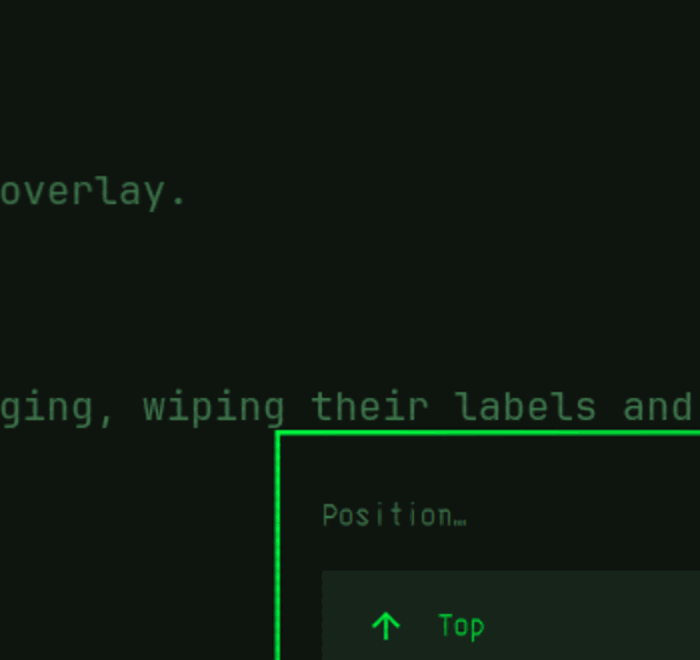
Super + Alt + Space → Style → Menu Bar → PositionThe extras script adds a checkmark to those rows so you can see which edge is active, which Omarchy does not show by default:
Tighter, denser gaps than the stock 5/10 — industrial, not airy:
-- ~/.config/hypr/looknfeel.lua
hl.config({
  general = { gaps_in = 2, gaps_out = 4 },
})
Optional extras, in one command
Everything below — branding, the fastfetch config, tighter gaps, bar position — can be installed interactively, with every original backed up first:
git clone https://github.com/abaidan/omarchy-weyland-yutani-theme.git
cd omarchy-weyland-yutani-theme
./bin/install-extras.sh      # asks before each change
./bin/uninstall-extras.sh    # puts everything back
Neither script needs root, and neither installs the theme itself — Omarchy does that. They only cover the layer Omarchy has no hook for. The sections below describe what they do, if you would rather do it by hand.
Optional: branding
The About screen (Super + Alt + Space → About) and the screensaver read their
art from your own config, so these are copy-in extras:
cp branding/about.txt       ~/.config/omarchy/branding/about.txt
cp branding/screensaver.txt ~/.config/omarchy/branding/screensaver.txt
branding/about.txt is sized to the 54×26 block omarchy branding about
targets and renders correctly against Omarchy's stock fastfetch config with no
further setup. For the amber tagline and theme-tinted module keys there is an
optional fastfetch config:
cp fastfetch/config.jsonc ~/.config/fastfetch/config.jsoncTwo caveats: omarchy-launch-about skips its window auto-fit whenever a user
fastfetch config exists, so the About window falls back to a generic size; and
that file is a snapshot of the 4.0.x stock config with only colours changed, so
it will not track upstream module changes. Skip it to keep the auto-fit.
Revert either with omarchy branding about reset /
omarchy branding screensaver reset.
Prompt
For a matching shell prompt, in ~/.config/starship.toml:
format = "[NOSTROMO://](bold #00c437)[$directory](#7ee89a)[ ▸ ](bold #00ff41)"

[directory]
format = "[$path]($style)"
truncation_length = 3
style = "#7ee89a"
What this theme deliberately does not ship
Quattro drops anything executable from a theme installed by a URL — every
*.lua, the terminal configs, vscode.json — and regenerates them from
colors.toml. Shipping them would be silently discarded with a warning at
install time. So this theme carries no Lua and no terminal configs, and instead
expresses everything through colors.toml, two shell.*.toml section
overrides, btop.theme, icons.theme and images.
A few things simply cannot be themed on 4.0.x, and it is worth knowing which so you do not go looking:
- Corner rounding and gaps. No theme can set them; the shell exposes no radius token at all.
- Critical notifications are not red. The shell declares an
accentColorfor urgency 2 and then never reads it, and there is no per-urgency token. Critical notifications are distinguished by persisting instead. - The lock screen has no heading. There is no masthead element and its wallpaper is blurred, which is why the MU/TH/UR wording lives on the boot screen instead.
- Fonts, bar position, About branding and fastfetch are user settings.
All of this is traced to the specific file and line in NOTES.md.
Uninstalling
Nothing here is destructive and nothing needs root.
The extras (branding, fastfetch, gaps, bar position, and the CRT shader if you enabled it):
./bin/uninstall-extras.shIt restores each file from the backup taken at install time, kept in
~/.local/state/omarchy-weyland-yutani/backup. A file that did not exist before
install is deleted rather than restored, so you end up where you actually
started. Only the theme's own marked block is cut out of
~/.config/hypr/looknfeel.lua — anything you added yourself stays.
The theme itself is Omarchy's to manage. Switch away first, then remove:
omarchy theme set tokyo-night
omarchy theme remove weyland-yutani
Switching away is enough on its own: Omarchy rebuilds
~/.local/state/omarchy/current/theme from scratch on every switch, so no
Weyland-Yutani file survives in the active theme. Removing it just reclaims the
clone in ~/.config/omarchy/themes/.
The boot screen is set separately and is the one piece that needs root, so
it is not scripted. Pick another entry (or Default) from:
Super + Alt + Space → Style → UnlockThe font, if you installed it and want it gone:
omarchy font set "CaskaydiaMono Nerd Font"   # or whatever you used before
sudo pacman -Rns ttf-3270-nerd               # optional
Doing it by hand instead of with the script:
omarchy branding about reset
omarchy branding screensaver reset
rm -f ~/.config/fastfetch/config.jsonc
omarchy bar position top
# then delete the weyland-yutani block from ~/.config/hypr/looknfeel.lua
Disclaimer
Fan-made theme inspired by the Alien franchise. Not affiliated with or endorsed by 20th Century Studios or Disney.
Every asset in this repository is self-made and MIT-licensed. The wallpapers,
the boot masthead and the ASCII branding are all generated from source in
assets/. No film stills, no ripped logos, no copyrighted icon sets.
Credits
- Typeset in the Future: Alien by Dave Addey — the frame-by-frame typography analysis this theme leans on.
- ha-weylandyutani — prior art for phosphor green on CRT-tinted dark.
- weyland-yutani-theme (Emacs) — syntax-highlighting colour relationships.
- omarchy-retro-fallout-theme — structural reference for a community CRT theme.
- Ron Cobb's Semiotic Standard for the Nostromo — the icon language
2-semiotic-gridnods to. The glyphs there are original geometry, not reproductions.