color palette
#1a1b1e
#eaeaef
#7ca5ff
#1a1b1e
#ef5d67
#8edb73
#f7c553
#7ca5ff
#e29ef3
#7dd8d3
#eaeaef
#505258
#ff7680
#a2ee8b
#ffd86f
#97b6ff
#efb5f9
#94e8e3
#ffffff
preview
readme
Omarchy Velora
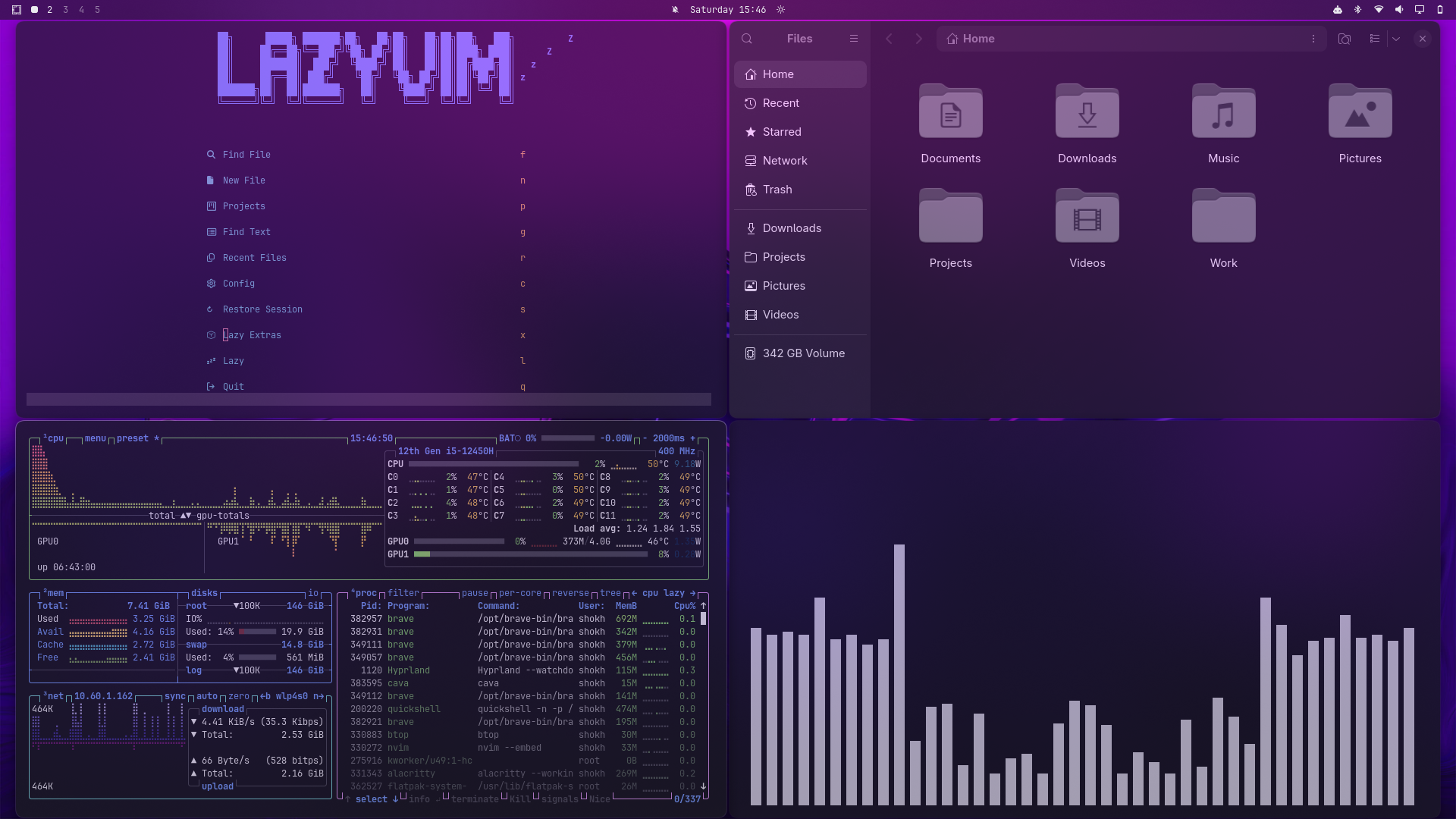
Velora is a dark frosted glass theme for Omarchy 4 / Quattro, designed around strong background blur, translucent dark surfaces, and a refined glassmorphism desktop aesthetic.
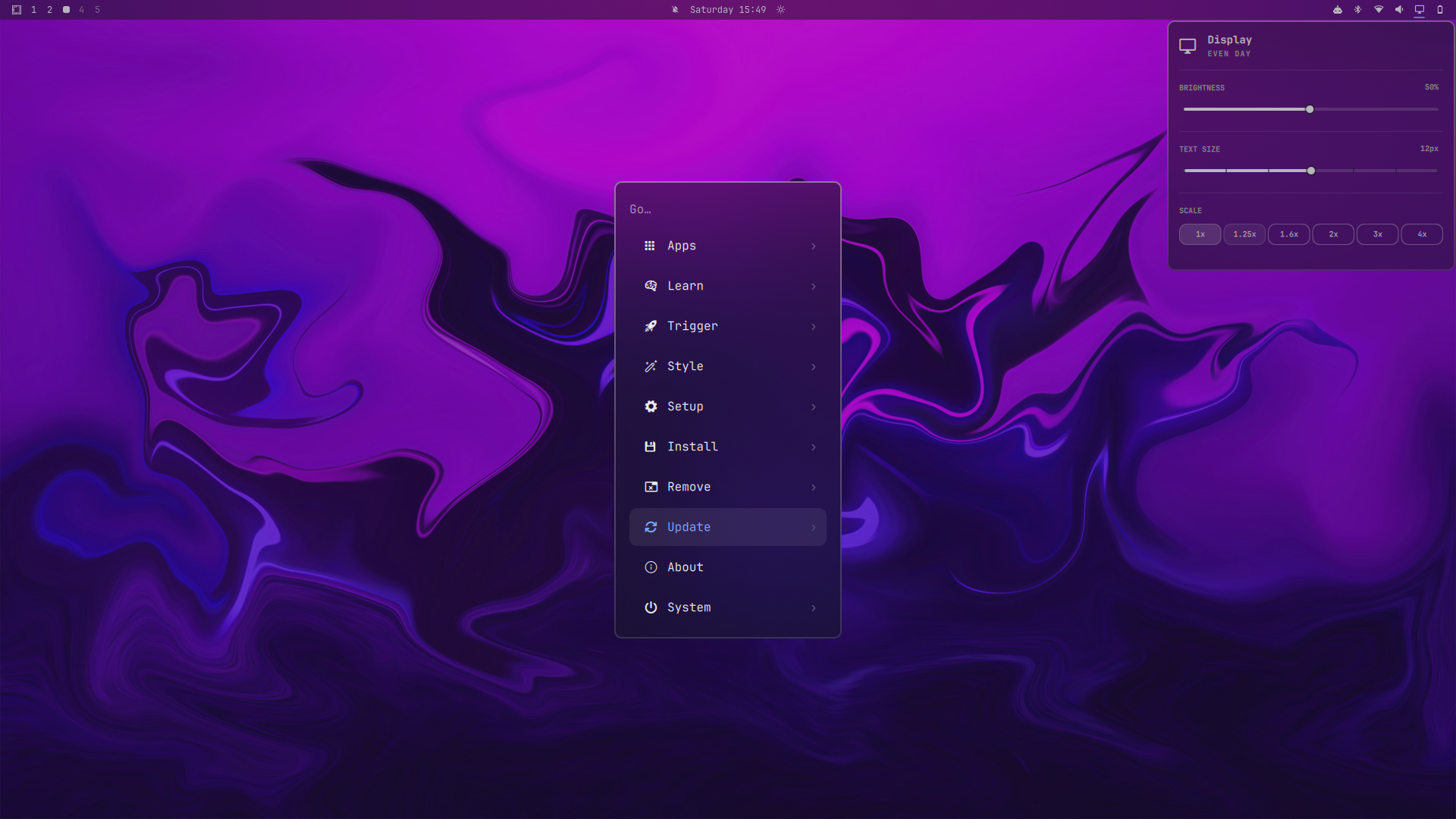
Velora brings a consistent frosted-glass treatment to Hyprland windows, Quickshell surfaces, the Omarchy bar, menus, notifications, OSD, launcher, lock screen, and terminal.
Built for Omarchy 4 / Quattro.
Preview
Features
- Premium frosted-glass aesthetic
- Strong wallpaper-aware background blur
- Dark translucent window surfaces
- Consistent glass treatment across Omarchy UI
- Hyprland blur and window transparency
- Quickshell / Quattro surfaces
- Frosted menus and launcher
- Glass-style notifications and OSD
- Dark frosted lock screen
- Alacritty terminal theming
- Developer-focused dark color palette
- High-contrast typography and subtle accents
Screenshots
Developer Workspace
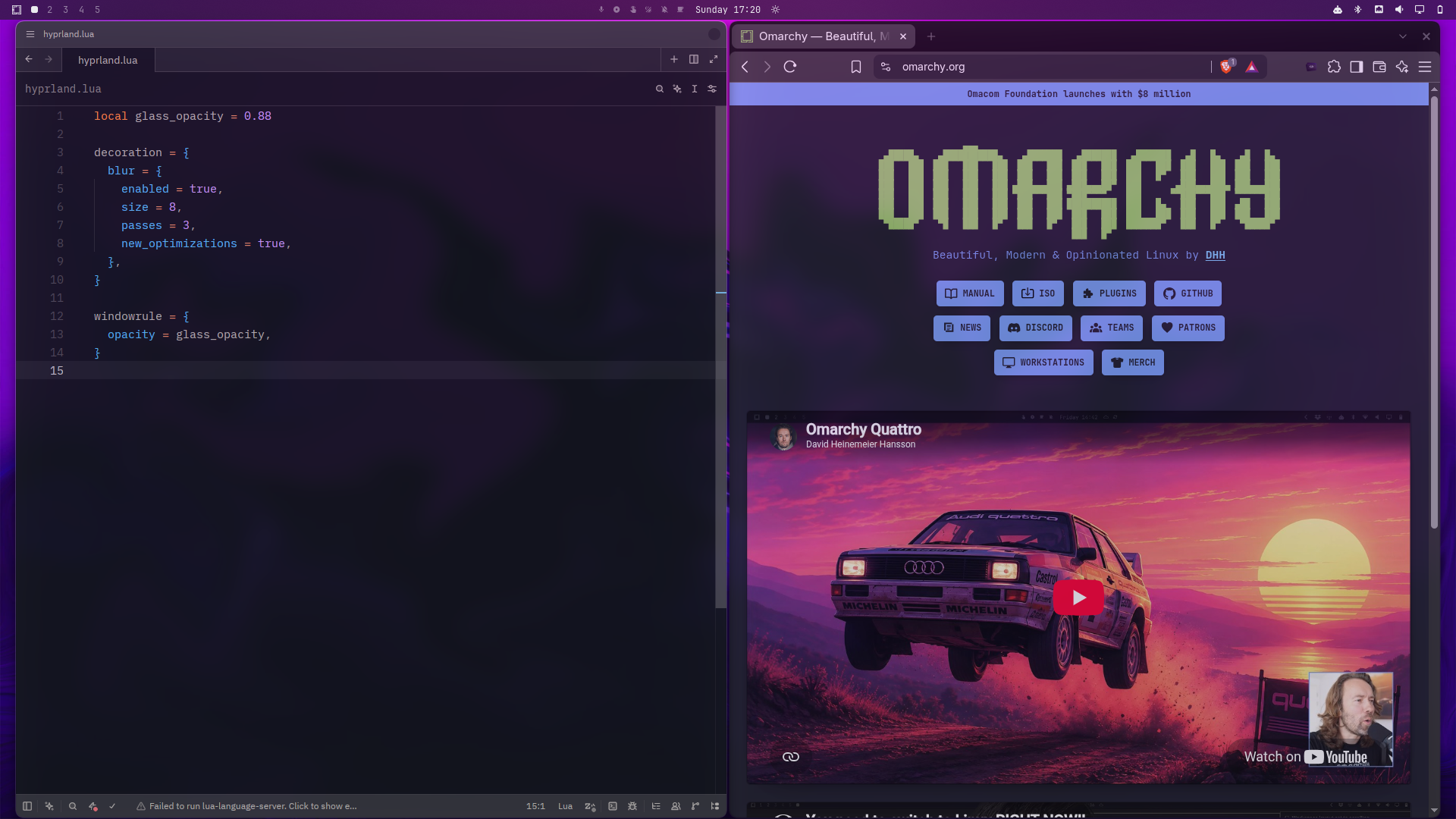
Frosted Glass UI
Lock Screen
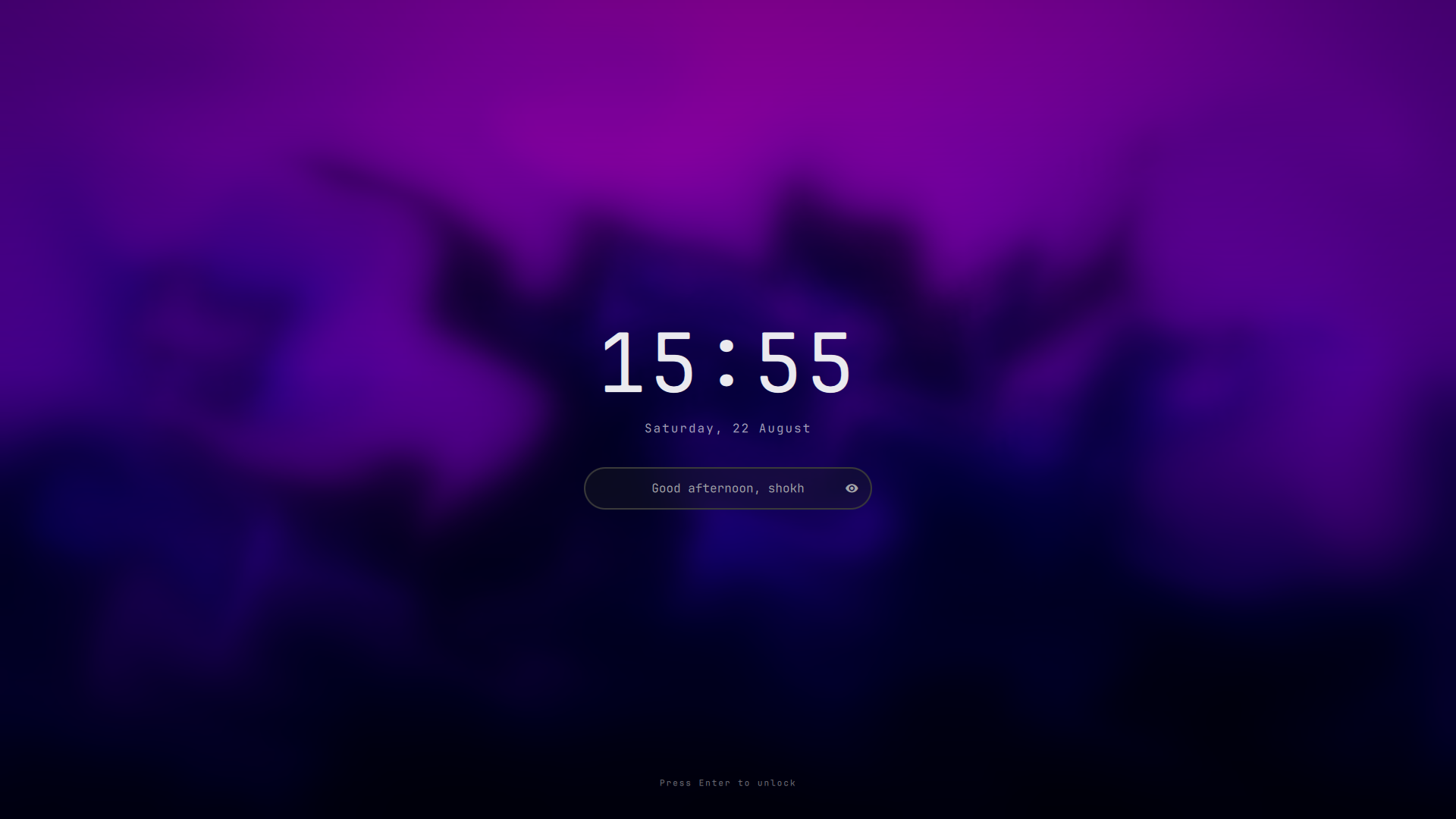
Note: this design is not part of Velora and isn't produced by anything in this repo. Omarchy's stock lock screen is a single fixed layout that Velora can only tint via
shell.toml's[lock]colors — Hyprland's native blur can't reach it either, since the lock screen renders as its ownext-session-locksurface with a hardcoded Quickshell blur, not a layer-shell surface Velora'shyprland.luarules can target. The screen above comes from a separate, third-party Quickshell plugin, Lock Screen Explorer by SirJul1337, which swaps out Omarchy's stock lock service for a picker with multiple layouts (colors and fonts still come from your Omarchy theme, so it matches Velora automatically). To get the same result:# 1. Install and enable the plugin omarchy plugin add https://github.com/SirJul1337/omarchy-lock-explorer.git --enable # 2. Restart the shell so it takes over the `lock` IPC target from the stock service omarchy restart shell # 3. Open the picker (browse designs, Enter to select, Esc to close) omarchy-shell lock exploreSee that plugin's own README for the full command list (
setDesign,previewDesign, avatar/unlock-animation options, etc.) and its troubleshooting section iflock explorestill answers with the stock screen after restarting. To go back to Omarchy's stock lock screen:omarchy plugin remove io.github.sirjul1337.lock-explorer && omarchy restart shell.
Installation
Install Velora directly with Omarchy:
omarchy theme install https://github.com/shoxjaxon-atabayev/omarchy-velora-themeAfter installation, select Velora from the Omarchy theme selector.
Design
Velora is built around a dark frosted-glass visual language.
The theme combines:
- Dark tinted surfaces
- Strong background blur
- Controlled transparency
- Subtle borders
- Muted blue and red accents
- Consistent contrast across desktop surfaces
The goal is to make wallpaper and background content remain visible through the glass while keeping applications and UI elements readable.
Components
Velora currently provides styling for:
- Hyprland
- Quickshell / Omarchy 4
- Omarchy Bar
- Launcher
- Menus
- Notifications
- OSD
- Polkit
- Lock Screen
- Alacritty
Requirements
- Omarchy 4 / Quattro
- Hyprland
- Quickshell
Repository
Velora — Frosted Glass Theme for Omarchy
If you like the theme, consider giving the repository a ⭐ on GitHub.