color palette
#001419
#adb7b7
#29a298
#fdf5e2
#268bd3
#fdf5e2
#001419
#db302d
#849900
#b28500
#268bd3
#d23681
#29a298
#adb7b7
#637981
#fb7673
#bcff51
#c4a15a
#78c5fb
#f961aa
#6cf8ed
#fdf5e2
preview
readme
Solarized Japan for Omarchy
An unofficial Omarchy theme combining a dark Japanese-inspired desktop with the palette of Solarized Osaka.
Features
- Solarized Osaka palette adapted to Omarchy 4 semantic color roles
- High-contrast terminal selections, suggestions, and readable foregrounds
- Nine original Japanese-inspired wallpapers, including a wordmark wallpaper
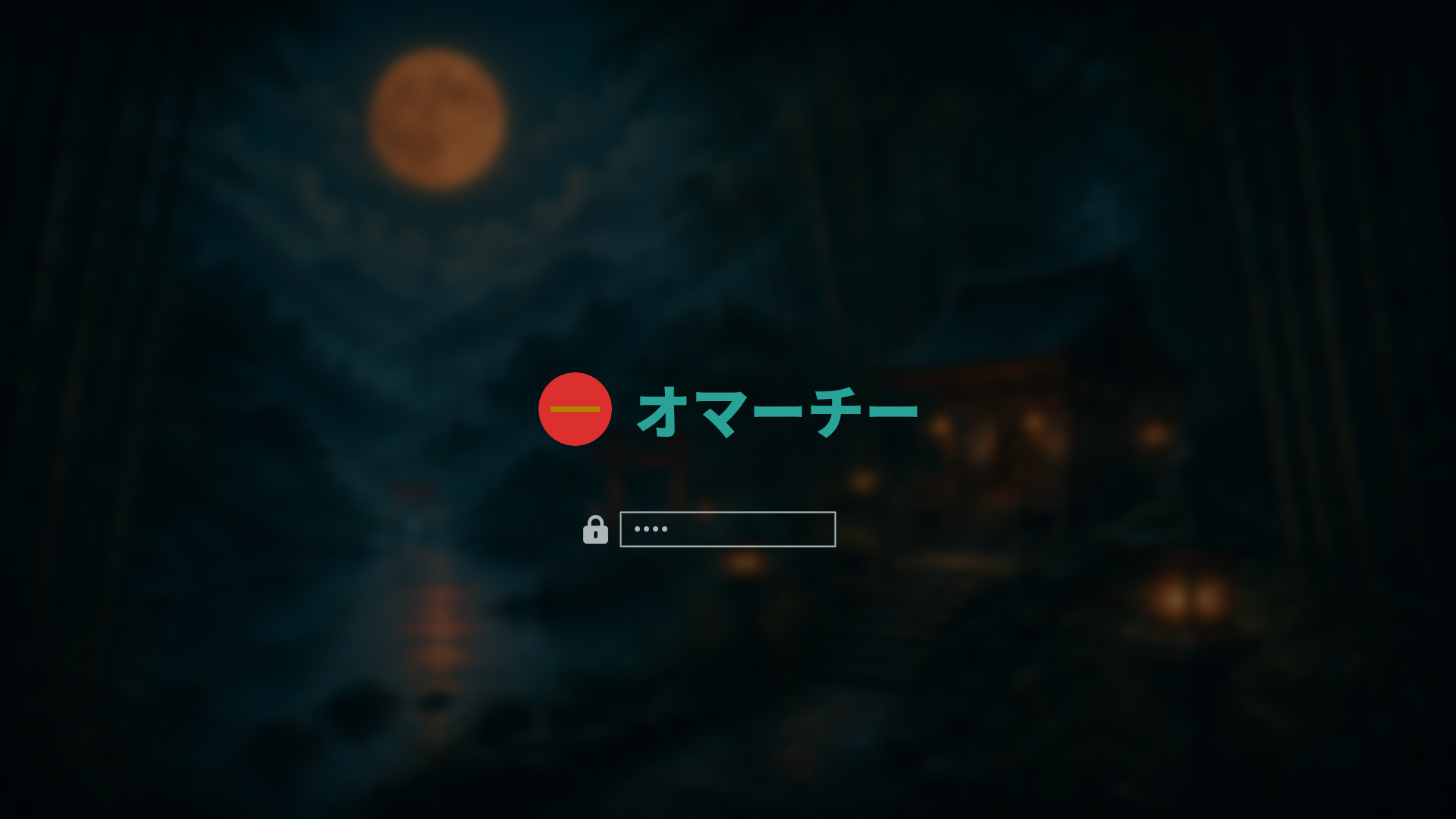
Yaru-sagefile-manager icons- Japanese Plymouth unlock mark displaying
オマーチー - Blurred shrine-and-bamboo unlock preview with warm antique-gold lighting
- Generated terminal, shell, editor, browser, and system-tool themes through
Omarchy's
colors.tomltemplates
Installation
From the Omarchy menu, open Install > Style > Theme and paste:
https://github.com/R7rainz/omarchy-solarized-japan.gitOr install from a terminal:
omarchy theme install https://github.com/R7rainz/omarchy-solarized-japan.gitApply the theme manually with:
omarchy theme set solarized-japanWallpaper and unlock controls
Cycle wallpapers with:
omarchy theme bg nextThe unlock artwork appears under Style > Unlock. unlock.png is the
transparent Plymouth mark; preview-unlock.png is the selector preview.
Blurred SDDM unlock screen
preview-unlock.png is a static selector/README preview. The normal Omarchy 4
theme interface applies unlock.png and palette colors to the system SDDM
theme, but it does not copy a theme wallpaper into SDDM or load a theme-owned
Main.qml file. Therefore a blurred preview does not automatically make the
real SDDM unlock screen blurred.
This repository includes sddm-background.png, the same fixed pre-blurred
artwork used behind the logo in preview-unlock.png. It is deliberately a
separate SDDM asset and never follows the user's selected desktop wallpaper.
To add the effect locally, install the included image as background.png in
the root-owned SDDM theme directory:
sudo install -o root -g root -m 0644 sddm-background.png \
  /usr/share/sddm/themes/omarchy/background.png
Back up the SDDM layout before editing it:
sudo cp -a /usr/share/sddm/themes/omarchy/Main.qml \
  /usr/share/sddm/themes/omarchy/Main.qml.solarized-japan.bak
sudoedit /usr/share/sddm/themes/omarchy/Main.qml
Place this before the existing Connections and login Column blocks so the
login UI remains above the background:
Image {
  anchors.fill: parent
  source: "background.png"
  fillMode: Image.PreserveAspectCrop
  smooth: true
}

Rectangle {
  anchors.fill: parent
  color: "#001419"
  opacity: 0.30
}
Use the fixed sddm-background.png from this repository; do not point the
QML at ~/.config/omarchy/current/background, or the SDDM image will change
with the desktop wallpaper. Reapply the image and QML edit after running an
Omarchy Plymouth/SDDM refresh or applying a system update, because those
commands rebuild the root-owned SDDM theme. This is an optional machine-local
customization, not an automatically applied part of the portable theme format.
Palette
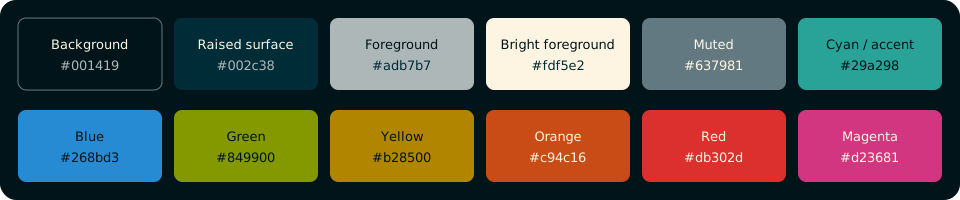
| Role | Color |
|---|---|
| Background | #001419 |
| Raised surface | #002c38 |
| Foreground | #adb7b7 |
| Bright foreground | #fdf5e2 |
| Muted | #637981 |
| Cyan / accent | #29a298 |
| Blue | #268bd3 |
| Green | #849900 |
| Antique gold | #c4a15a |
| Orange | #c94c16 |
| Red | #db302d |
| Magenta | #d23681 |
The palette starts from Solarized Osaka. Foreground, selection, and antique-gold roles are tuned for Omarchy readability.
Theme layout
solarized-japan/
├── backgrounds/                 # selectable wallpapers
│   ├── background1.jpg ... background6.jpg
│   ├── background7.png          # wordmark wallpaper
│   ├── background8.jpg          # minimalist dark Japanese garden wallpaper
│   └── background9.jpg          # lighter twilight valley wallpaper
├── colors.toml                  # palette source of truth
├── icons.theme                  # Yaru-sage
├── preview.png                  # theme-selector preview
├── unlock.png                   # transparent Plymouth mark
├── preview-unlock.png           # unlock-selector preview
├── sddm-background.png          # fixed blurred SDDM artwork
├── palette.svg                  # documented palette preview
├── theme.yaml                   # repository/gallery metadata
├── LICENSE
├── NOTICE
└── README.md
theme.yaml is repository metadata for gallery/submission tooling; Omarchy's
runtime theme source remains colors.toml.
Credits and licensing
- Takuya Matsuyama / craftzdog (Devaslife) for Solarized Osaka
- Ethan Schoonover for the original Solarized color scheme
- Omarchy for the desktop environment and theming tooling
Theme configuration, documentation, palette artwork, and project-created wallpaper/unlock artwork are provided under the Apache License 2.0, subject to the third-party attribution and trademark notes in NOTICE.
This project is independent and is not officially affiliated with Omarchy, Solarized Osaka, Devaslife, or Ethan Schoonover.
Contributing
Issues and pull requests are welcome. Please include the wallpaper/artwork source or permission details when contributing new visual assets.