color palette
#07140D
#59CF77
#59CF77
#B4FFC0
#17472C
#B4FFC0
#02160C
#E85D5D
#59CF77
#E7C46A
#73A9CF
#C284C8
#68C8B0
#B4FFC0
#1B4B2C
#FF8585
#8DEFA2
#F6D98B
#9FC7E8
#DC9BE0
#8DE4CD
#D8FFE0
preview
readme
RobCo Omarchy Theme
An Omarchy theme for your Arch Linux / Hyprland setup, rebuilt around the phosphor-green terminals of the RobCo Industries universe.
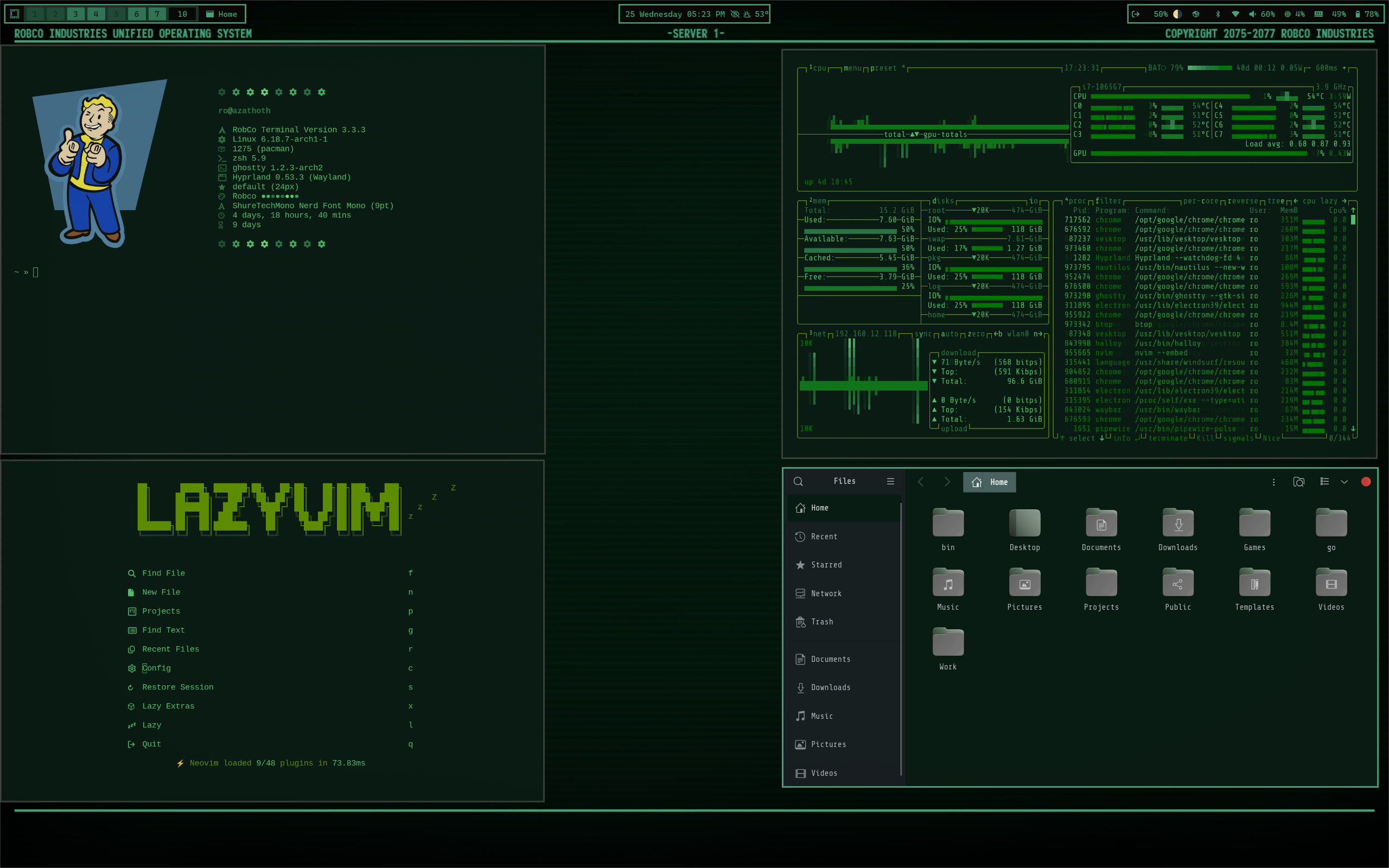
Omarchy Quattro
The theme now uses Quattro's semantic 24-colour palette. colors.toml is the
source of truth for the shell, Hyprland borders, terminals, editors, btop,
Chromium, lock screen, notifications, and launcher surfaces. The old Waybar,
Walker, Mako, and SwayOSD files remain in the repository as legacy extras for
pre-Quattro installs, but Quattro generates and uses its unified shell configs.
The old hand-written btop and Chromium overrides were removed so Quattro's generated versions stay in sync with the RobCo palette.
Installation
Install directly with the current Omarchy command:
omarchy theme install https://github.com/signaldirective/robco-themeThen select it from the theme switcher or run:
omarchy theme set robco-themeFor the optional legacy GTK and Fastfetch extras, run install_extras.sh from
the repository after installing the theme.
Support
Copyright 2075–2077 RobCo Industries