color palette
background
#0A0A08
foreground
#FFB000
accent
#FFCC00
cursor
#FFCC00
selection background
#2A1F00
selection foreground
#FFCC00
color0
#2A1F00
color1
#FF8800
color2
#FFCC00
color3
#FFD700
color4
#CC9900
color5
#FF9900
color6
#CC9900
color7
#D4AA00
color8
#805500
color9
#FFAA00
color10
#FFCC00
color11
#FFDD00
color12
#FFBB00
color13
#FFAA00
color14
#FFB000
color15
#FFCC00
preview
~/robco-mojave
┌──────────────────────Hardware──────────────────────┐
PC: omarchy-host
│ ├: x86_64 (8 cores) @ 4.00 GHz
│ ├: Integrated Graphics
│ ├: 1920x1080 @ 60 Hz
│ ├: 120 / 500 GiB (24%)
│ ├: 8 / 16 GiB (50%)
└ └ : 0 / 4 GiB (0%)
└────────────────────────────────────────────────────┘
┌──────────────────────Software──────────────────────┐
OS: Omarchy 3.6.0
│ ├: master
│ ├: stable
│ ├: linux-arch
│ ├: Hyprland (Wayland)
│ ├: ghostty
│ ├: 1024 (pacman)
│ ├: RobCo Mojave ●●●●●●●●
└ └: ShureTechMono Nerd Font Mono (9pt)
└────────────────────────────────────────────────────┘
┌─────────────────Age / Uptime / Update───────────────┐
OS Age: 0 days
Uptime: 2 hours, 13 mins
Update: Today
└────────────────────────────────────────────────────┘
user@omarchy:~ $
readme
RobCo Mojave Omarchy Theme
An Omarchy theme for your Arch Linux / Hyprland setup based on the RobCo terminals found in Fallout: New Vegas.
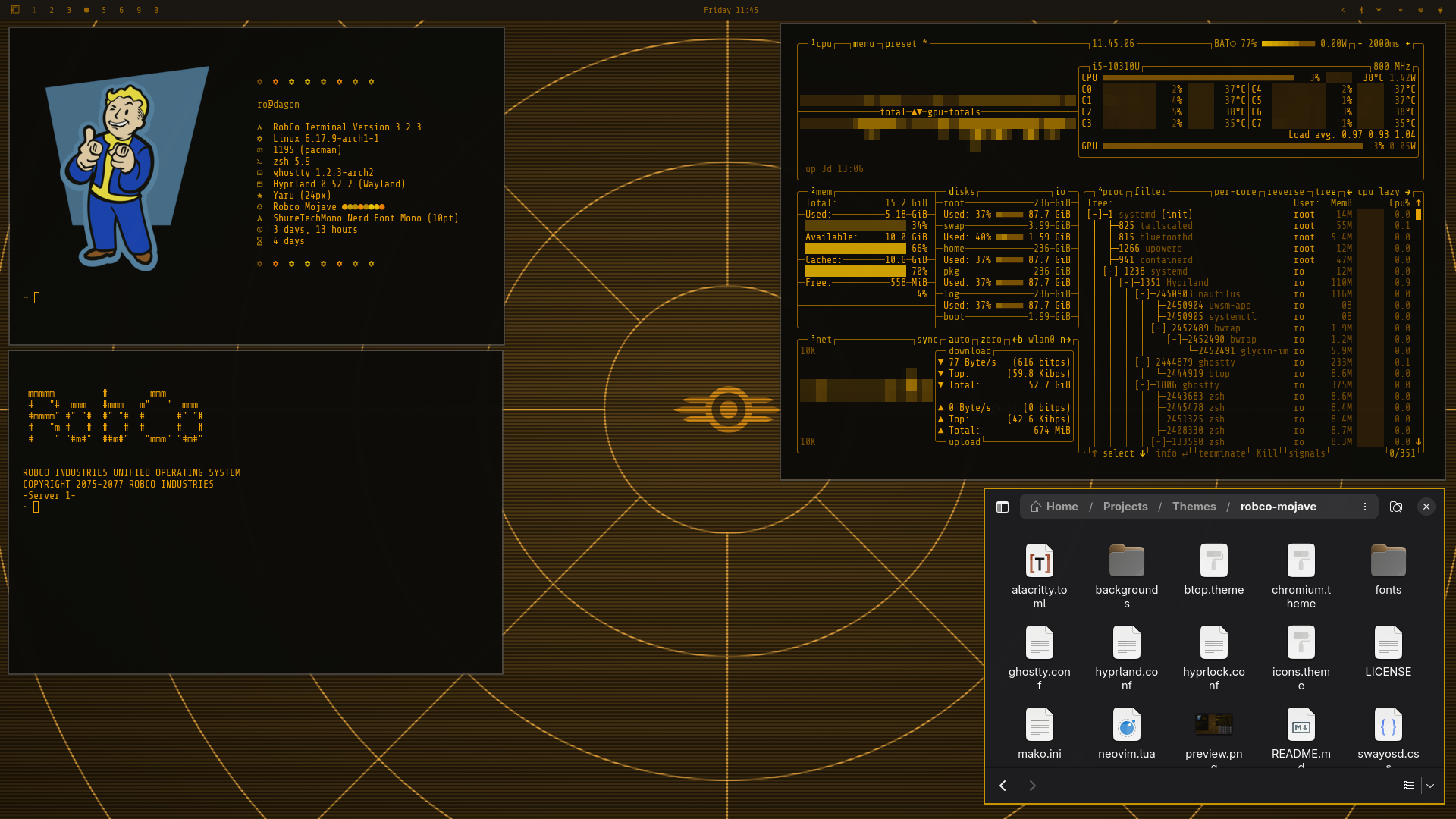
Omarchy Quattro
The theme uses Quattro's semantic 24-colour palette. colors.toml is the
source of truth for the shell, Hyprland borders, terminals, editors, btop,
Chromium, lock screen, notifications, and launcher surfaces. Quattro generates
its unified configs from that palette when the theme is installed from a
repository.
The repository also retains its app-specific and pre-Quattro configuration files for local use and older Omarchy installs.
Installation
Install directly with the current Omarchy command:
omarchy theme install https://github.com/signaldirective/robco-mojaveThen select it from the theme switcher or run:
omarchy theme set robco-mojaveSupport
Copyright 2075–2077 RobCo Industries