color palette
background
#1A1C14
foreground
#EDE0C4
accent
#C4452A
preview
~/penguin-bomber
┌──────────────────────Hardware──────────────────────┐
PC: omarchy-host
│ ├: x86_64 (8 cores) @ 4.00 GHz
│ ├: Integrated Graphics
│ ├: 1920x1080 @ 60 Hz
│ ├: 120 / 500 GiB (24%)
│ ├: 8 / 16 GiB (50%)
└ └ : 0 / 4 GiB (0%)
└────────────────────────────────────────────────────┘
┌──────────────────────Software──────────────────────┐
OS: Omarchy 3.6.0
│ ├: master
│ ├: stable
│ ├: linux-arch
│ ├: Hyprland (Wayland)
│ ├: ghostty
│ ├: 1024 (pacman)
│ ├: Penguin Bomber ●●●●●●●●
└ └: JetBrainsMono Nerd Font (9pt)
└────────────────────────────────────────────────────┘
┌─────────────────Age / Uptime / Update───────────────┐
OS Age: 0 days
Uptime: 2 hours, 13 mins
Update: Today
└────────────────────────────────────────────────────┘
user@omarchy:~ $
readme
Penguin Bomber
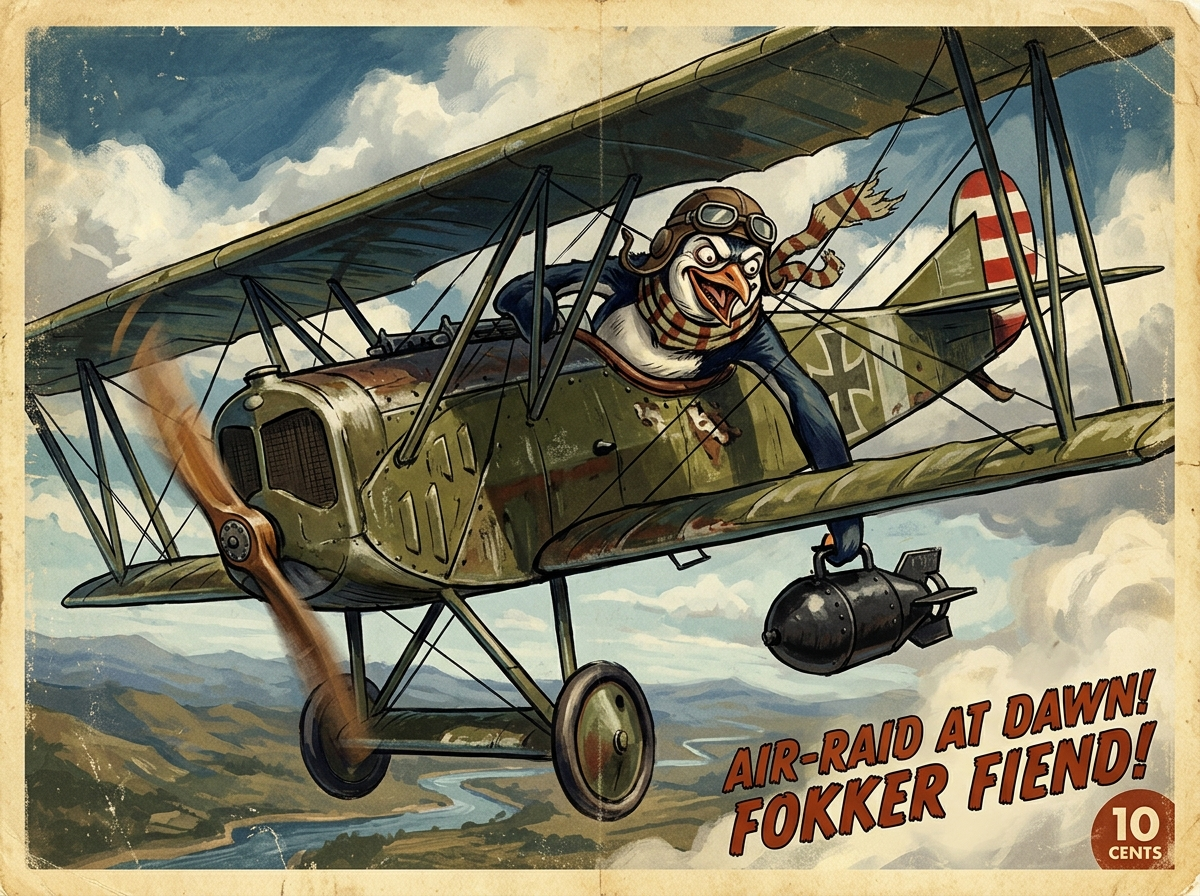
A vintage dawn-raid theme for Omarchy. Olive fuselage, rust lettering, parchment paper, and painted sky — colors taken from the Penguin Bomber poster.
Install
On an Omarchy system, clone and apply the theme in one step:
omarchy theme install https://github.com/saxonmurray85-ops/omarchy-penguin-bomber-theme.gitOr from the Omarchy menu: Super + Space → Install → Style → Theme, then paste that URL.
The repository is named omarchy-penguin-bomber-theme so Omarchy registers it as penguin-bomber under ~/.config/omarchy/themes/penguin-bomber.
Apply later
omarchy theme set penguin-bomberCycle wallpapers with omarchy theme bg next.
Update
omarchy theme updateRemove
omarchy theme remove penguin-bomberManual clone
If you prefer to clone by hand:
git clone https://github.com/saxonmurray85-ops/omarchy-penguin-bomber-theme.git ~/.config/omarchy/themes/penguin-bomber
omarchy theme set penguin-bomber
Palette
| Role | Hex |
|---|---|
| Accent (rust) | #C4452A |
| Background (olive night) | #1A1C14 |
| Foreground (parchment) | #EDE0C4 |
| Sky | #5A8FB5 |
| Olive | #6A6B3E |
colors.toml is the source of truth. When this theme is installed from git, Omarchy generates terminal, editor, and Hyprland color files from it.
Contents
colors.toml— palettebackgrounds/— poster and sky wallpaperspreview.png— theme switcher thumbnailchromium.theme,icons.theme,keyboard.rgbshell.bar.toml,shell.launcher.toml,shell.lock.tomlhyprland.lua— optional local Hyprland extras (gust window motion). Cloned installs do not apply Lua; Omarchy regenerates Hyprland colors fromcolors.toml.
License
MIT. See LICENSE.