color palette
#111820
#e2e8ef
#e1b774
#f2f5f7
#344252
#f2f5f7
#111820
#d2776b
#9fb99a
#e1b774
#78a9c5
#b4a0c8
#8fc5c3
#e2e8ef
#617181
#e69587
#adc9a6
#f0cf95
#98c5df
#cab4df
#a9dbd6
#f2f5f7
preview
readme
Omarchy No Man’s Sky
A fully interactive space desktop for Omarchy Quattro 4.5, adapted from Eli F.’s Space rice shown in this Hyprland post.
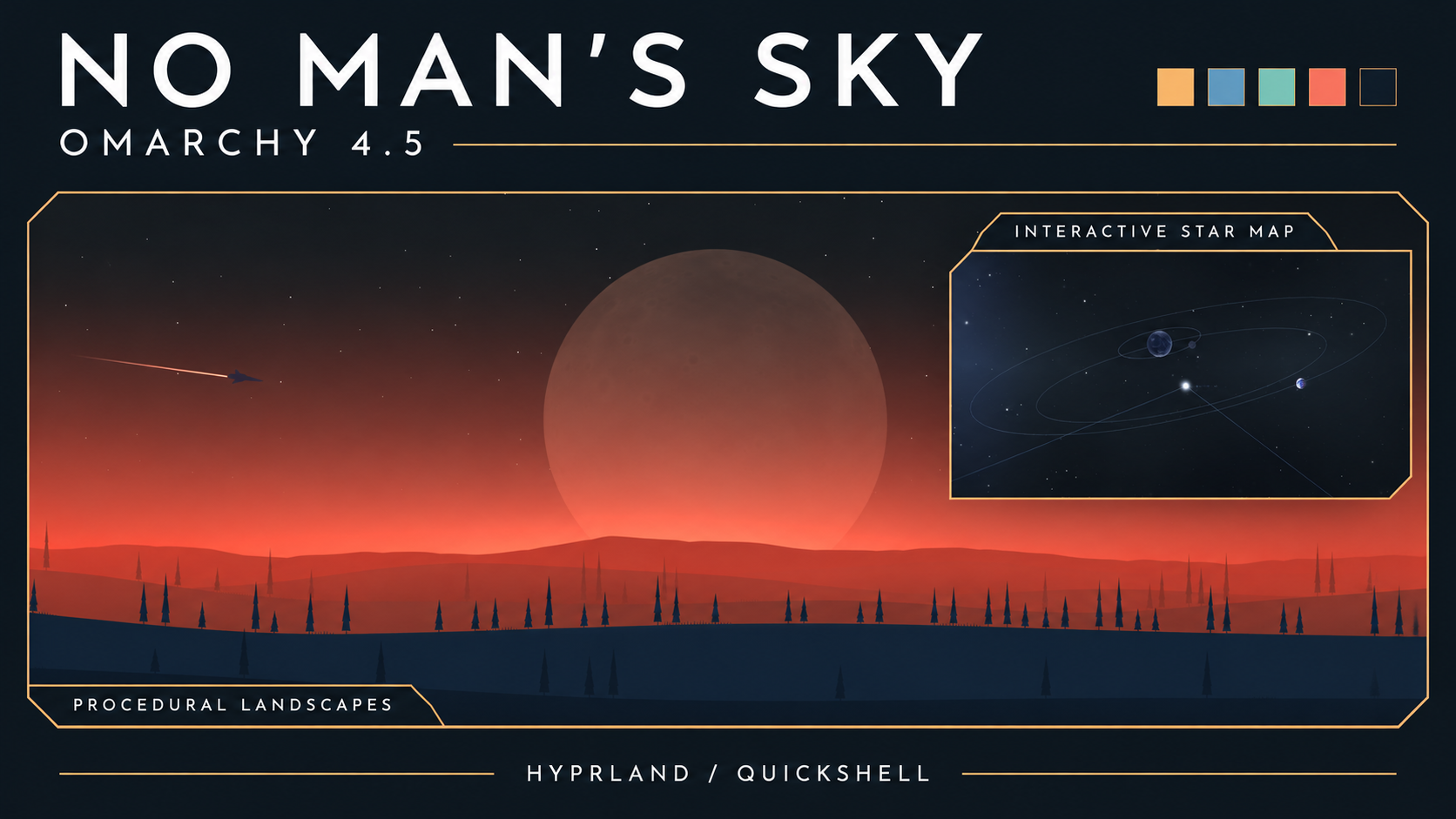
Fly out of your desktop into a navigable star map. Workspaces are star systems, open windows are planets, and selecting one takes you back to that workspace or window with an animated landing. Explore procedural systems to generate a new landscape and color palette. The scenery, moons, planets, nebulae, and stars are GPU shaders; the camera and interface are QML and JavaScript.
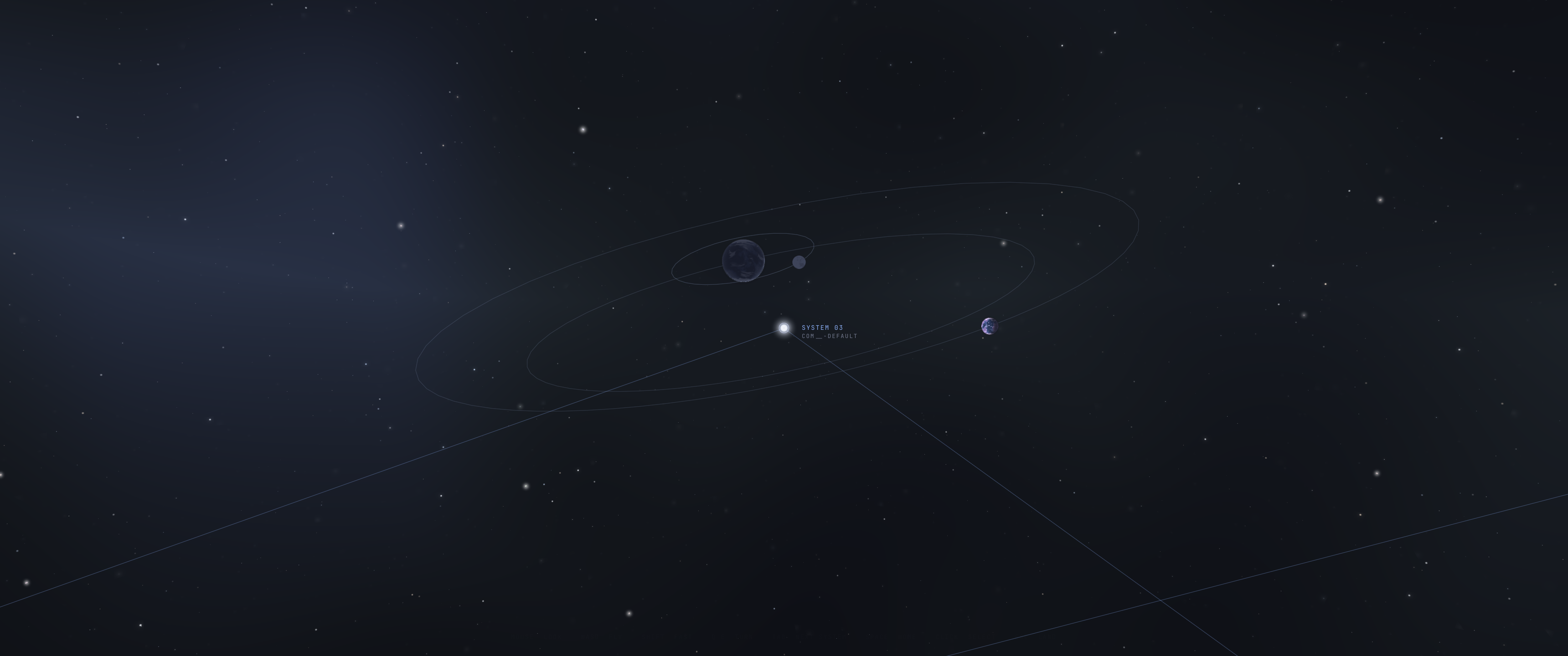
The renderer runs alongside Omarchy’s existing shell. Your bar widgets, launcher, notifications, dock, and application shortcuts remain available. This ports the landscape and interactive map, rather than installing the author’s entire desktop configuration. It does not run the upstream installer.
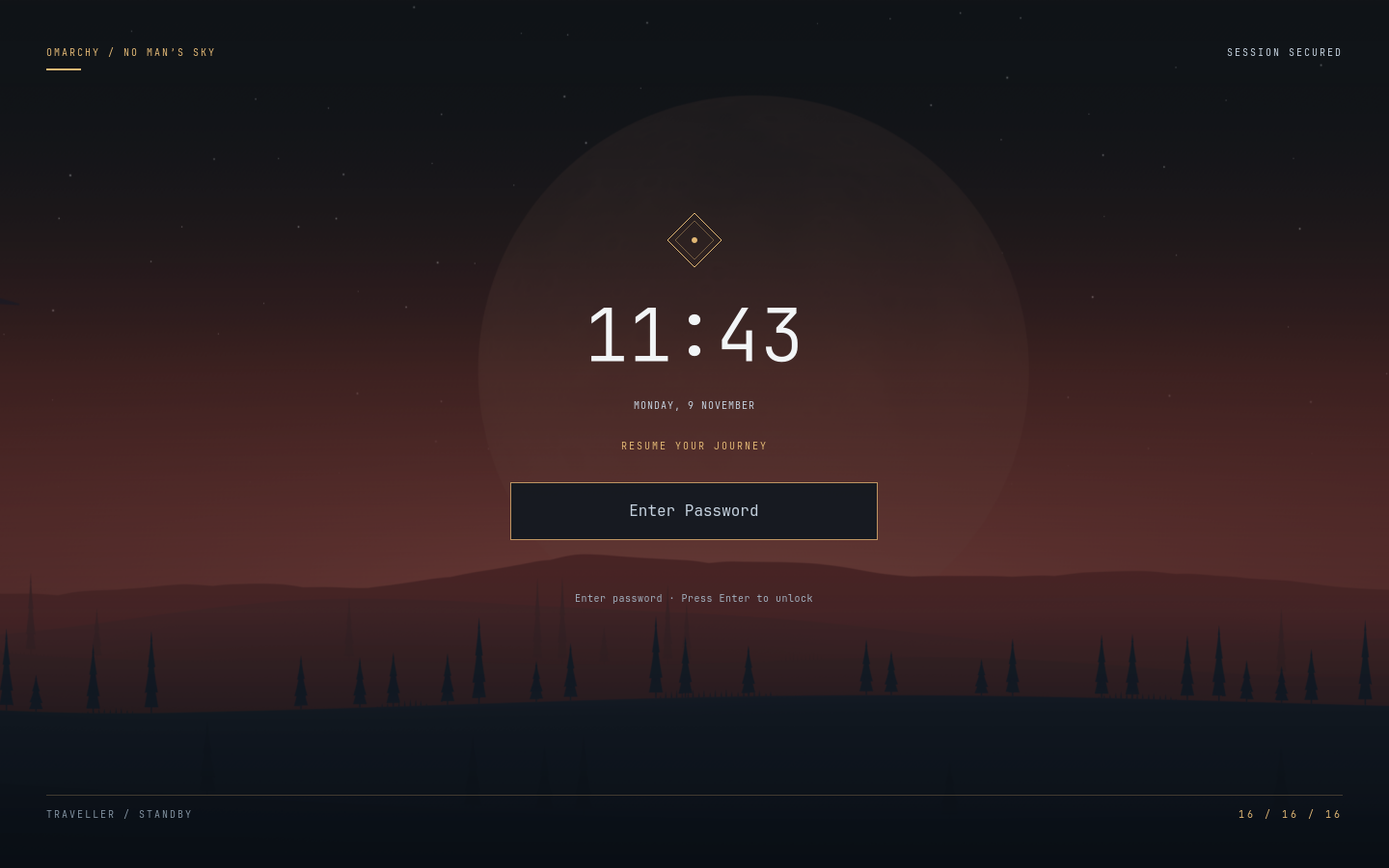
The companion also gives Omarchy’s unlock screen a No Man’s Sky landscape, Atlas-inspired emblem, clock, and amber HUD. Password and fingerprint authentication continue to use Omarchy’s installed lock service.
With No Man's Sky selected, focused windows use 85% opacity and unfocused windows use 75% opacity to reveal more of the landscape.
Controls
| Key | Action |
|---|---|
| Super + Alt + N | Open the star map; press again to land |
| Super + Alt + W | Generate a new world and palette |
| Super + Alt + Escape | Close the map immediately |
| Mouse | Aim the camera |
| W A S D / arrow keys / H J K L | Fly |
| Shift | Fly faster |
| Q / E | Turn |
| Tab / Shift + Tab | Visit the next / previous workspace system |
| Space | Fly toward the current workspace’s system |
| Click / Enter | Select a system, then land on a planet or workspace |
| Escape | Animated landing back on your current workspace |
The three desktop shortcuts were checked against the existing Omarchy bindings on this machine and did not replace any actions.
Install
The repository-root colors.toml is the canonical default palette
for Omarchy and theme marketplaces. It contains the complete dark palette,
including surface colors, text colors, accents, and normal/bright terminal
colors. The interactive companion reads this same file when installing or
generating a new world's application colors.
Standard Omarchy theme installation applies the palette. The interactive landscape and star map require the companion installation below; marketplace palette imports do not start the renderer or install its user service.
Requires an active Omarchy 4.5 / Hyprland Lua session with Quickshell and Python
3.11 or newer. Qt Shader Tools (/usr/lib/qt6/bin/qsb) is needed only to rebuild
the shaders; compiled shaders are included. No root access or downloads are
required by the installer.
cd ~/Projects/omarchy-no-mans-sky
./bin/omarchy-nms install
Installation adds three keybindings and a theme, installs a user systemd service,
enables it for future graphical sessions, and installs a local lock-screen clone.
Existing files are backed up before they are changed. The installed theme links
to the repository's preview.png
so it appears in Omarchy's graphical theme switcher.
Run this from your normal desktop terminal, where the user
session bus and GPU are accessible.
To add the unlock screen to an existing companion installation:
./bin/omarchy-nms install-lock
./bin/omarchy-nms preview-lock
The preview does not lock or authenticate; click anywhere to dismiss it.
The design fits all displays, including the 1024×600 auxiliary screen. It uses
a still from the landscape renderer, so no animation runs behind the prompt.
The custom scene appears only while No Man’s Sky is selected; other themes use
Omarchy’s normal lock-screen appearance. The clone copies the installed
Service.qml and fingerprint model unchanged. Run install-lock again after
an Omarchy update to refresh those copies. Installation refuses to replace
another personal lock clone and must run while the session is unlocked.
Your monitor layout and global workspace rules are not edited:
| Workspaces | Display |
|---|---|
| 1–6 | Samsung C34J79x |
| 7–9 | Built-in Apple display |
| 10 / Super+0 | DZX small display, 1024×600 |
The map discovers workspace ownership from Hyprland instead of hardcoding display connectors. Landing on an unexplored world reuses an empty workspace on the focused display, or the current workspace when none is empty. It does not create workspaces above 10. The wallpaper responds to each monitor’s own workspace, and the largest display gets the main moon.
Manage and roll back
omarchy-nms status       # Renderer state
omarchy-nms doctor       # Service, startup, renderer, and Hyprland checks
omarchy-nms preview-lock # Preview the unlock screen; click to dismiss
omarchy-nms map          # Open map / animated return
omarchy-nms world        # New terrain and palette
omarchy-nms abort        # Immediate return if a transition is inconvenient
omarchy-nms stop         # Stop the companion until the next login or start
omarchy-nms start        # Start it again
omarchy-nms uninstall   # Disable startup, remove integration, restore prior theme
Uninstallation removes only the added binding block, so keybindings you add later
are retained. Other managed files are restored only if they still match the
installed version; subsequent edits are preserved and reported. World state,
original-file backups, and the last installation manifest remain under
~/.local/state/omarchy-no-mans-sky/. The previous theme is restored only if
No Man’s Sky is still selected.
Uninstallation disables the local nms.lock clone through Omarchy’s plugin API,
which restores the original lock service and preserves other shell settings.
To switch back sooner, run omarchy plugin disable nms.lock.
For a runtime problem, Super+Alt+Escape releases the map immediately. From a
terminal you can also run:
systemctl --user stop omarchy-no-mans-sky.service
journalctl --user -u omarchy-no-mans-sky.service -b
How the adaptation works
quickshell/land/: procedural scenery and per-monitor workspace parallax.quickshell/starmap/: perspective camera, workspace systems, window planets, live window captures during takeoff/landing, and navigation.quickshell/common/: adapted rendering components, isolated scene state, palette generation, and automatic resolution reduction during slow transitions.colors.toml: canonical default Omarchy palette, at the repository root for marketplace discovery.theme/: HUD surface styling.lockscreen/: themed unlock view and translated HUD labels; the authentication service is cloned from the installed Omarchy version.hypr/: additive shortcuts and theme-specific thin borders / square corners.tools/control.py: installation, safe restoration, service management, and synchronization of generated world palettes through Omarchy’s theme templates.
World settings are isolated from upstream’s pywal and profile system. Palette changes are applied after flight transitions finish. Omarchy’s normal theme templates generate application colors; the controller updates the running shell, terminals, and Hyprland locally. It does not invoke remote-machine theme hooks or change the fallback wallpaper. Applications which read themes at launch pick up their generated settings the next time they open. Switching to a different Omarchy theme automatically hides the landscape, closes the map, and stops palette syncing so the selected wallpaper and shell can take over. Selecting No Man’s Sky brings the landscape back. Palette updates share Omarchy’s theme-switch lock and regenerate colors without reselecting No Man’s Sky, so a queued update cannot undo a new theme selection.
The original desktop widgets, launcher, settings panels, pypr scratchpad daemon, and upstream lock screen are not imported. Omarchy provides those functions, with a custom presentation for its own unlock screen. Normal Hyprland special workspaces with windows still appear in the map. Flight can temporarily capture your open windows for the transition; these frames remain inside the renderer and are not saved or transmitted.
This checkout must remain at its installed path. The user service and command point to it so edits can be reviewed in Git and QML changes can reload live. Uninstall before moving the repository, then install from its new location.
Development and verification
make shaders  # Recompile all three GLSL shaders with the installed Qt version
make check    # Installer rollback, ownership, and palette validation tests
qs -p ./quickshell --no-duplicate  # Preview without the installer
On the target three-monitor desktop, verification covered successful shader
compilation, loaded QML without component errors, keyboard flight and system
selection, animated cross-monitor landing, emergency close, palette syncing,
unchanged workspace ownership, and clean hyprctl configerrors output.
Optional frame-timing diagnostics can separate flight performance from takeoff and landing. They are disabled by default and do not drive rendering while idle:
qs ipc -p ./quickshell call nms profile true
omarchy-nms map
# Fly, then press Escape to land normally.
qs ipc -p ./quickshell call nms performance
qs ipc -p ./quickshell call nms profile false
The report records primary-display frame-swap intervals by phase: average frame rate, median and 95th-percentile interval, and frames longer than 25 ms. An ordinary landing retains the last report; an emergency abort discards it. These are application frame timings, not a guarantee of compositor presentation rate. After restarting the companion on this machine, a short flight measurement averaged 59.8 fps; takeoff and landing had slower frames. A trial which cached the transition blur did not consistently improve landing and was not retained.
Credits and license
The landscape shader, space shader, camera, planet rendering, and transition design come from Eli F. / elifouts. This repository is an Omarchy integration and adaptation of that work, not an independently recreated camera or renderer. See UPSTREAM.json for the pinned commit and original file hashes.
Distributed under GPL-3.0, matching the upstream project. See LICENSE.
The unlock view adapts Omarchy 4.5’s LockView.qml (GPL-3.0); its authentication
service and fingerprint model are copied locally from the installed Omarchy.
The root preview.png is an image-generation-assisted showcase composed from
the real landscape and star-map screenshots under docs/assets/. Its layout
and typography are promotional artwork; the captured scenes derive from the
credited upstream shaders. The generation prompt is recorded in
docs/preview-prompt.txt.