color palette
#121B26
#D6DEE8
#F0B87E
preview
readme
Konbini
An Omarchy theme for late nights, empty streets, and the glow of a convenience store sign — inspired by quiet anime slice-of-life backdrops. Deep navy night sky, warm amber window and streetlamp light, soft starfields.
- Four 4K wallpapers: two painted scenes, a soft-focus version for distraction-free work, and a minimal skyline
- A tuned palette: text colors pass WCAG AA (only the dimmed
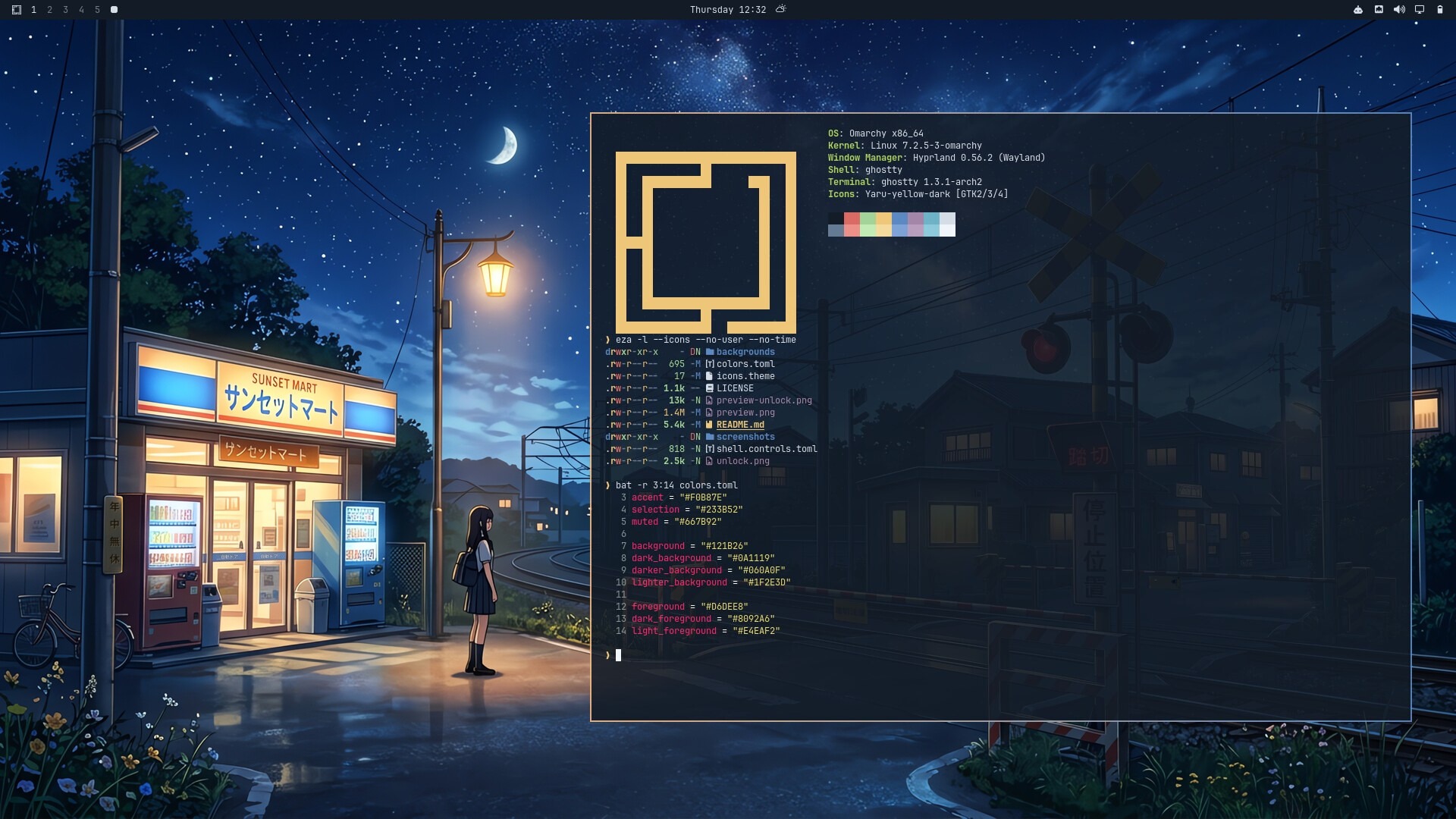
mutedsits just below), and red and green stay apart for color-blind eyes - The whole Omarchy desktop: amber-to-blue gradient borders, a matching lock screen, shell focus states, amber folder icons and an amber boot/unlock logo
- An away screen: a block-art night lane for the idle screensaver
- Extras for Zed, Discord, Firefox, Spotify and cava
Gallery
 01-station-crossing | 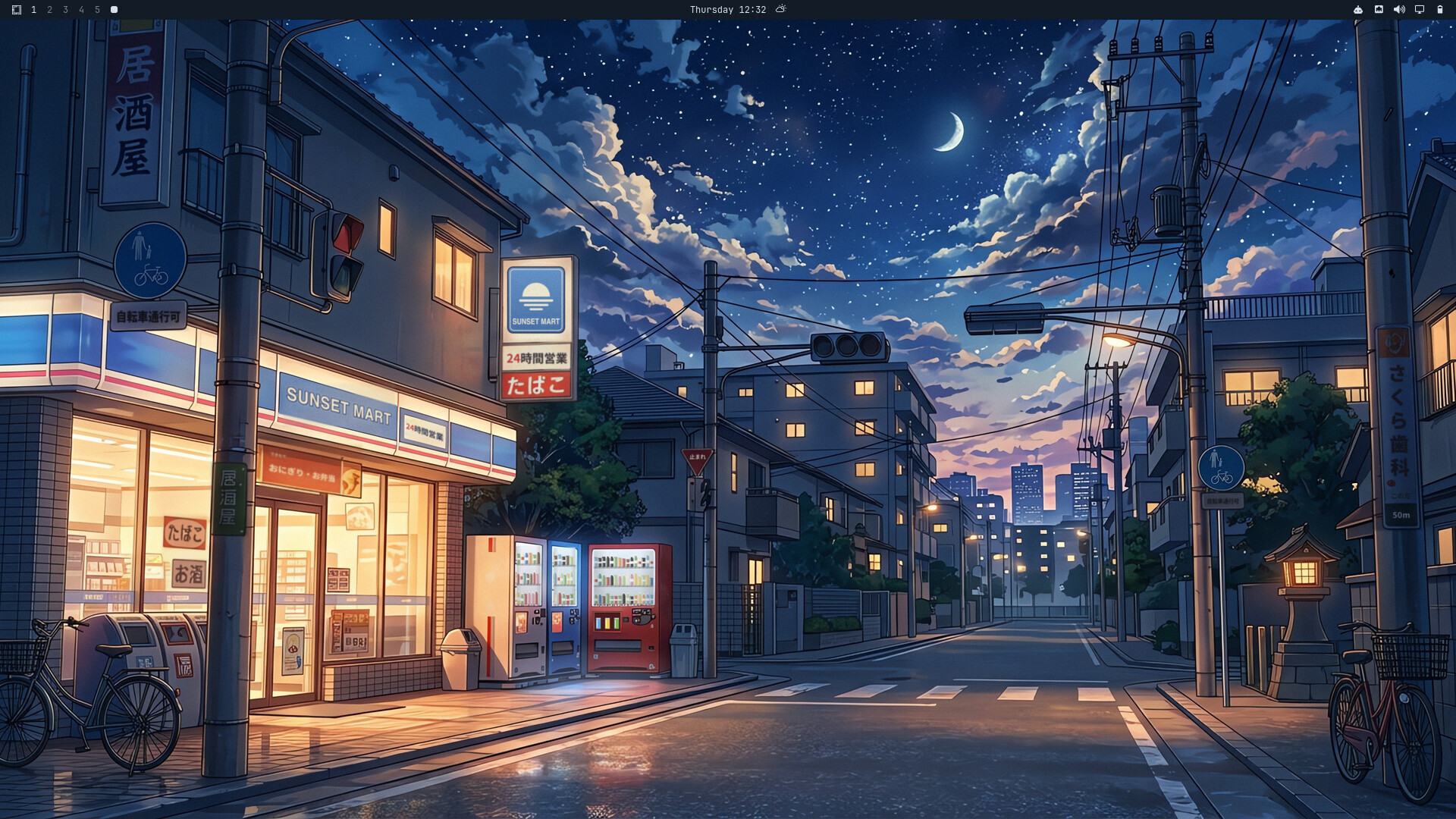 02-corner-store |
 03-soft-focus |  04-night-skyline |
 Terminal + gradient border | 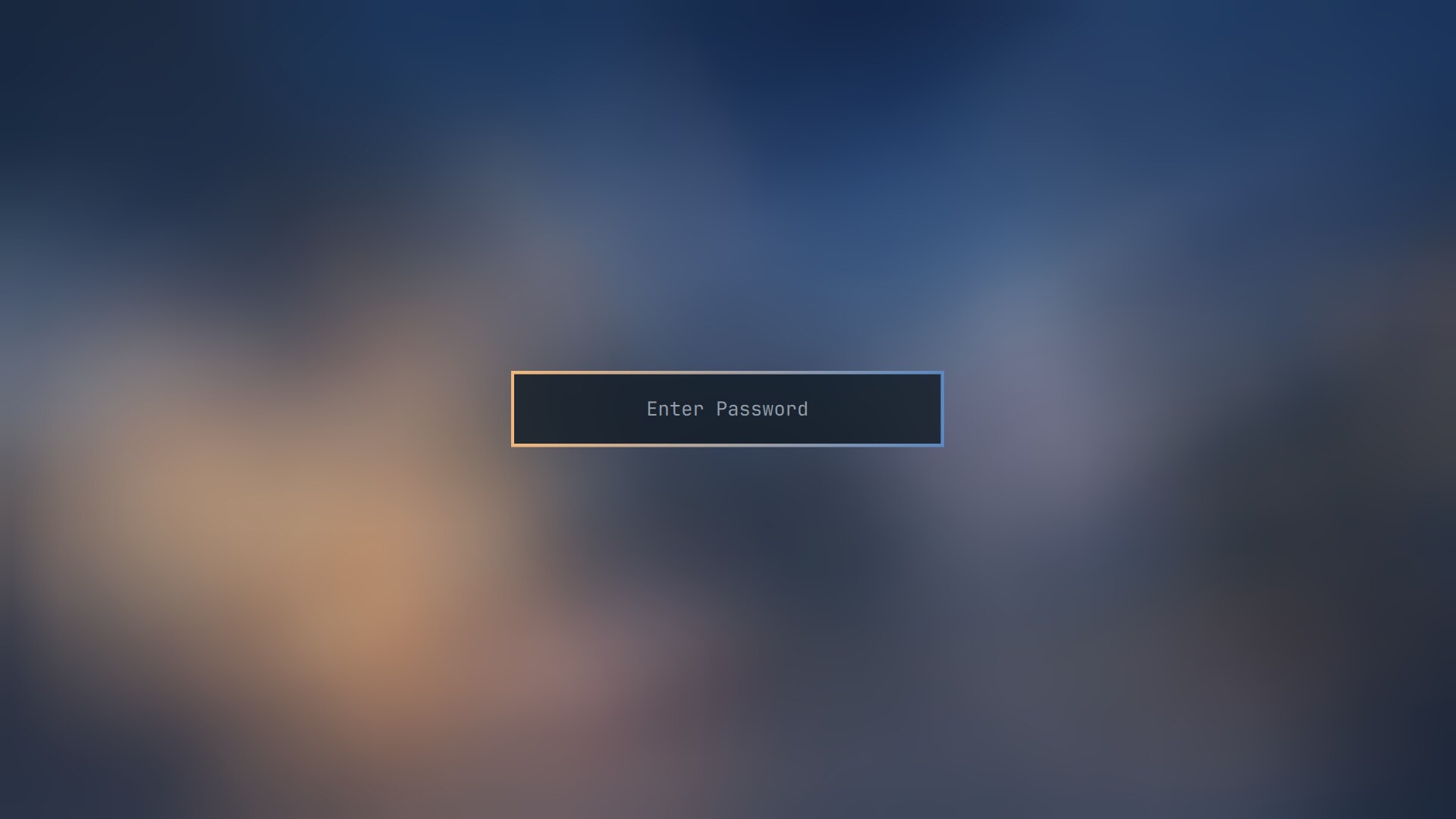 Lock screen |
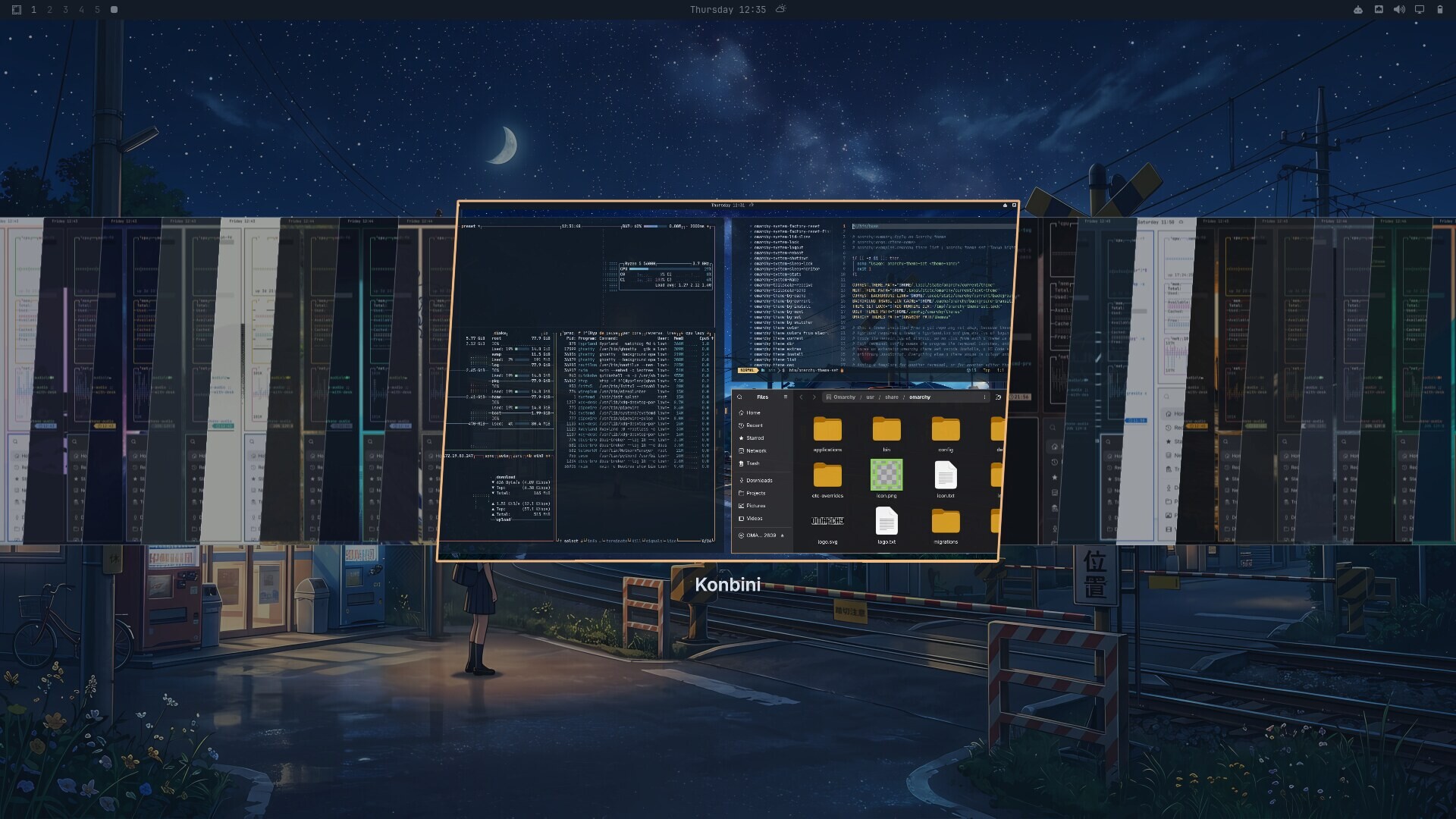 Theme picker | 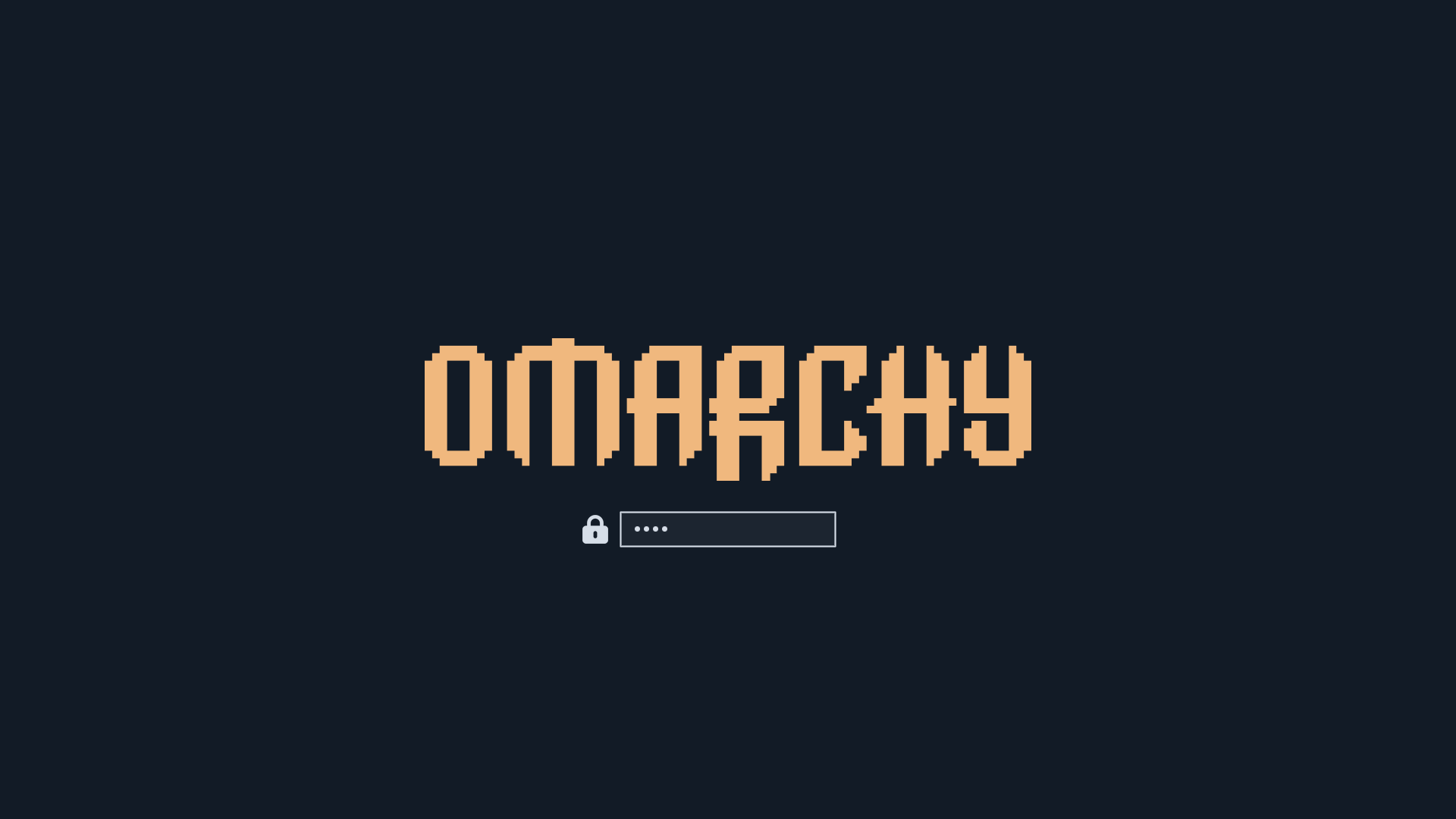 Boot / disk-unlock screen |
Install
Option A — omarchy theme install (recommended):
omarchy theme install https://github.com/Lohan-Pieterse/omarchy-konbini-theme.gitThis clones the repo into ~/.config/omarchy/themes/konbini and applies the
theme right away. As a security measure, Omarchy won't apply any *.lua,
terminal configs, or vscode.json from a theme cloned from git — this theme
doesn't ship any of those, so nothing is lost.
Option B — manual clone, if you want to inspect or tweak it first:
git clone https://github.com/Lohan-Pieterse/omarchy-konbini-theme.git \
  ~/.config/omarchy/themes/konbini
omarchy theme set konbini
A manual clone still has its .git directory, so Omarchy treats it exactly
like an installed theme: the same file filtering, and omarchy theme update
keeps it up to date.
Konbini needs Omarchy 4.0 or newer (tested on 4.0.4). It ships no
per-app config files: Omarchy generates them from colors.toml, so older
releases that need per-app theme files (alacritty.toml, waybar.css, …)
aren't supported.
After installing, cycle through the four wallpapers with:
omarchy theme bg nextPalette
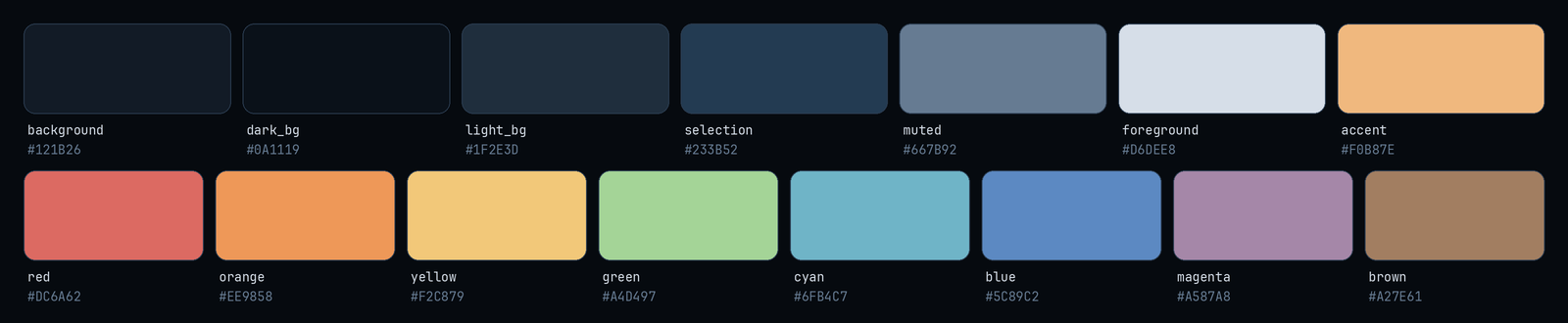
Full values in colors.toml.
Backgrounds
Four wallpapers are included under backgrounds/, all at a true 3840×2160
(4K). The two painted scenes were generated with Google's image generation
AI at 1376×768, then upscaled with Real-ESRGAN (realesr-animevideov3),
which keeps the painted texture of the wet streets, foliage and skies.
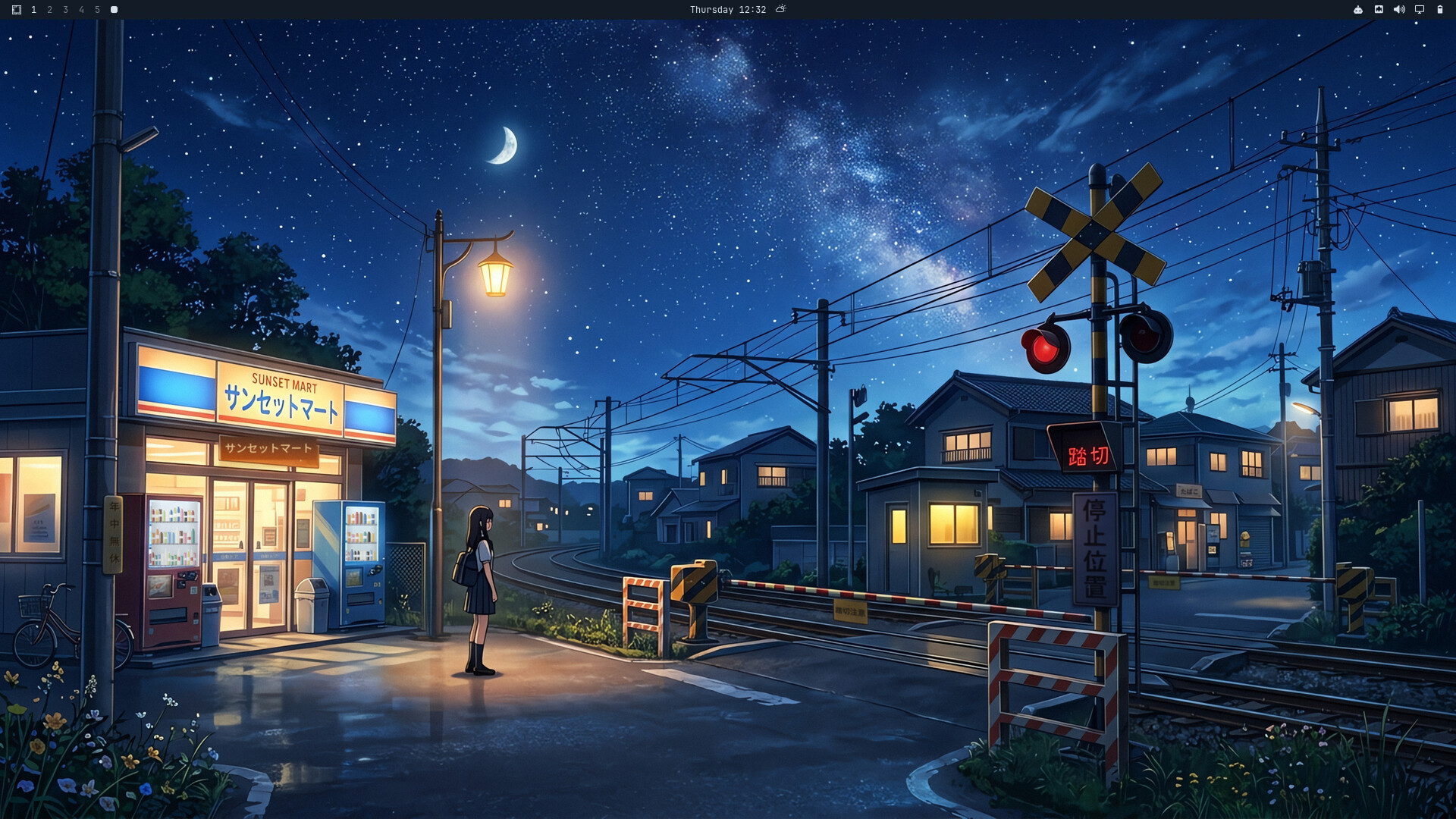
01-station-crossing.jpg— a girl waiting at a rail crossing by a corner store. Shown first (Omarchy picks backgrounds alphabetically the first time a theme is applied). This is also the wallpaper behind the windows inpreview.png.02-corner-store.jpg— the same fictional Sunset Mart, on a street corner under a starry sky.03-soft-focus.jpg— the corner store through an out-of-focus lens: the same mood with nothing competing with your windows.04-night-skyline.jpg— a minimal, hand-built skyline in the palette's own colors: rooftops, power lines, one lit konbini.
The painted scenes were retouched afterwards: real-world brand logos became the fictional Sunset Mart, garbled AI lettering became real Japanese signage, and the vending machines were restocked with drinks.
Lock screen
Nothing to configure — Omarchy's lock screen automatically blurs whichever
background is currently active, and shell.lock.toml gives the password box
the same amber-to-blue gradient outline as your windows. You can safely
preview it without actually locking your session:
omarchy shell lock preview      # show it
omarchy shell lock hidePreview  # dismiss it
Away screen (optional)
Konbini ships an idle screensaver, screensaver.txt: a quiet lane
in solid blocks (houses, a power line, a crescent moon
and stars), drawn in by Omarchy's text effects in place of the stock logo.
It is 66×17, so it fits the screensaver terminal even on small HiDPI
screens. Omarchy picks the effect and its colors at random each cycle;
themes can't change those. Omarchy keeps the screensaver
in your personal branding rather than in the theme, so it takes one step:
# Just use it:
cp ~/.config/omarchy/themes/konbini/screensaver.txt ~/.config/omarchy/branding/screensaver.txt

# Or swap it in automatically: any theme that ships a screensaver.txt
# (like Konbini) gets its own away screen, and yours comes back when you
# switch to a theme that doesn't ship one:
omarchy hook install theme-set ~/.config/omarchy/themes/konbini/extras/screensaver-hook
Preview it with omarchy launch screensaver force; any key ends it.
Extras for other apps
Optional themes for apps Omarchy doesn't theme itself. Nothing here is applied automatically.
| App | File | How to install |
|---|---|---|
| Zed | extras/zed/konbini.json | mkdir -p ~/.config/zed/themes && ln -sf ~/.config/omarchy/themes/konbini/extras/zed/konbini.json ~/.config/zed/themes/konbini.json then pick "Konbini" in Zed's theme selector |
| Discord (Vencord/Vesktop) | extras/vencord/konbini.theme.css | ln -sf ~/.config/omarchy/themes/konbini/extras/vencord/konbini.theme.css ~/.config/vesktop/themes/konbini.theme.css then enable it in Vencord Settings → Themes |
| cava | extras/cava/konbini | copy all the lines from ~/.config/omarchy/themes/konbini/extras/cava/konbini into the [color] section of ~/.config/cava/config |
| Firefox | extras/firefox/userChrome.css | set toolkit.legacyUserProfileCustomizations.stylesheets to true in about:config, then mkdir -p /chrome && ln -sf ~/.config/omarchy/themes/konbini/extras/firefox/userChrome.css /chrome/userChrome.css |
| Spotify (Spicetify) | extras/spotify/color.ini | mkdir -p ~/.config/spicetify/Themes/Konbini && cp ~/.config/omarchy/themes/konbini/extras/spotify/color.ini ~/.config/spicetify/Themes/Konbini/ && spicetify config current_theme Konbini color_scheme Konbini && spicetify apply |
What's themed
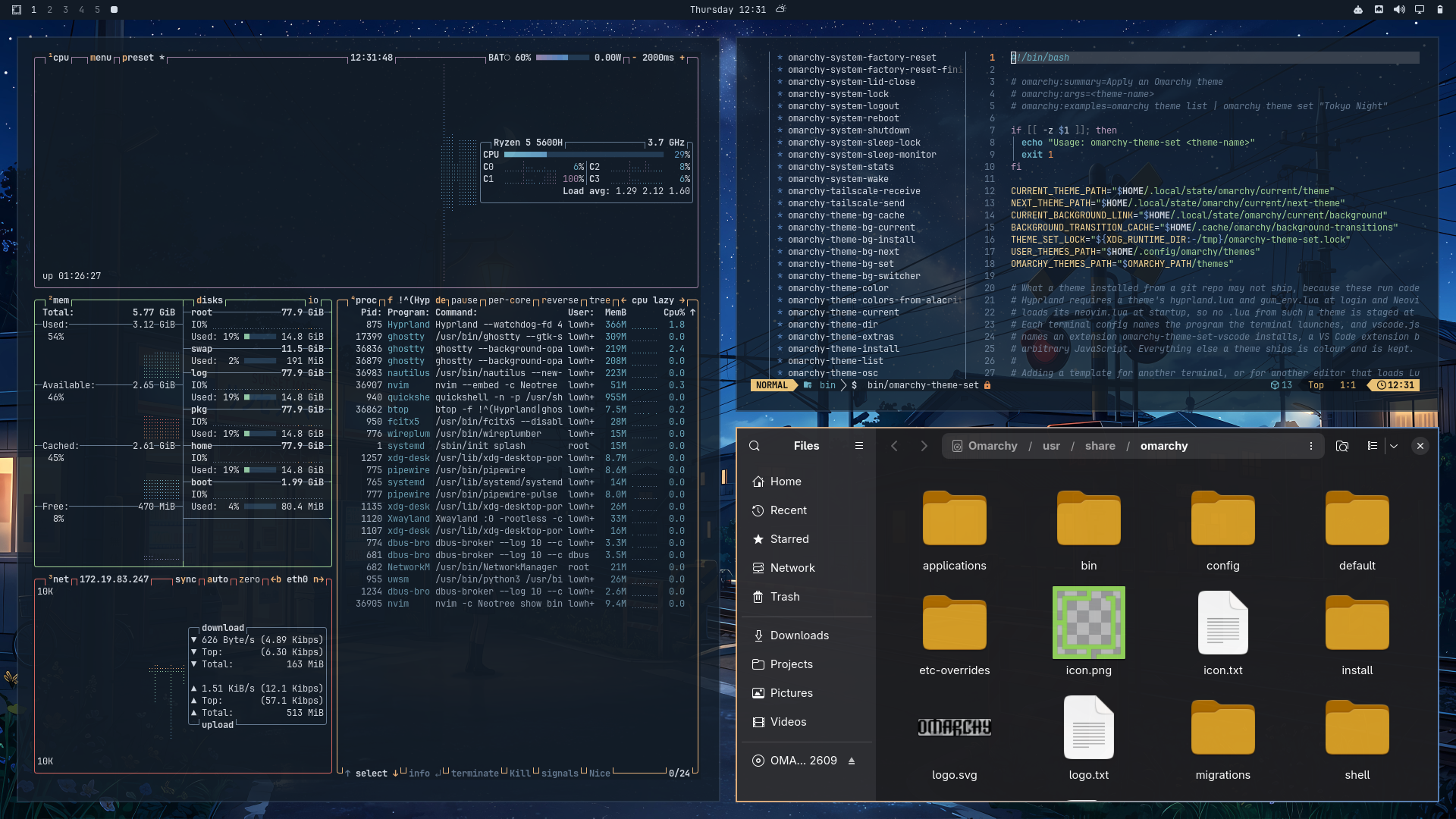
colors.toml— the full Omarchy color palette, includinghyprland_active_border/hyprland_inactive_borderfor an amber-to-blue gradient window bordericons.theme— Yaru-yellow, amber folders that match the shop-window glowshell.controls.toml— amber focus and selected states for buttons, tabs and dropdowns in the Omarchy shell (the rest of the shell is generated)shell.lock.toml— the amber-to-blue gradient on the lock screen's password boxunlock.png/preview-unlock.png— an amber Omarchy logo for the boot / disk-unlock screen; pick it under Menu → Style → Unlockpreview.png— a real desktop screenshot (btop, neovim + neo-tree, and Files tiled together, matching the layout Omarchy's own stock themes use for their previews), shown in the Omarchy theme picker and on omarchy.org/themes- Everything else (terminal apps, bar, lock screen, etc.) is generated
automatically by Omarchy from
colors.toml. The palette is tuned for legibility: every text color clears WCAG AA (4.5:1) on the background exceptmuted(≈4:1, used for comments and autosuggestions), and red/green stay distinguishable with red-green color blindness
License
The theme files (colors.toml, icons.theme, the shell.*.toml files,
screensaver.txt, extras/ and assets/) are MIT licensed — see
LICENSE. The painted backgrounds are AI-generated and the
other two are derived from them or drawn in code (see
Backgrounds); feel free to use them as personal desktop
backgrounds, but please don't resell them. The store names in the artwork are
fictional.
Made by Lohan Pieterse (@Lohan-Pieterse).