color palette
#0d0a1a
#e7e5dd
#f5a524
#f8d28a
#3a2545
#f8d28a
#0d0a1a
#c45c4a
#8fb87a
#f8d28a
#8b9cc8
#f4a48a
#7eb8b4
#e7e5dd
#4a4842
#e07a5f
#b4d49a
#ffe2a8
#b4c0e0
#ffd6c2
#a8d4d0
#f8d28a
preview
readme
Flower-Fruit Mountain (Omarchy Theme)
A dark, atmospheric theme inspired by the legendary Flower-Fruit Mountain (Huāguǒ Shān) and the visual identity of MonkeyKing.dev. Features animated blossom petals blown by random wind, deep obsidian backgrounds, vibrant amber and peach blossom accents, high-contrast typography, and custom desktop artwork.
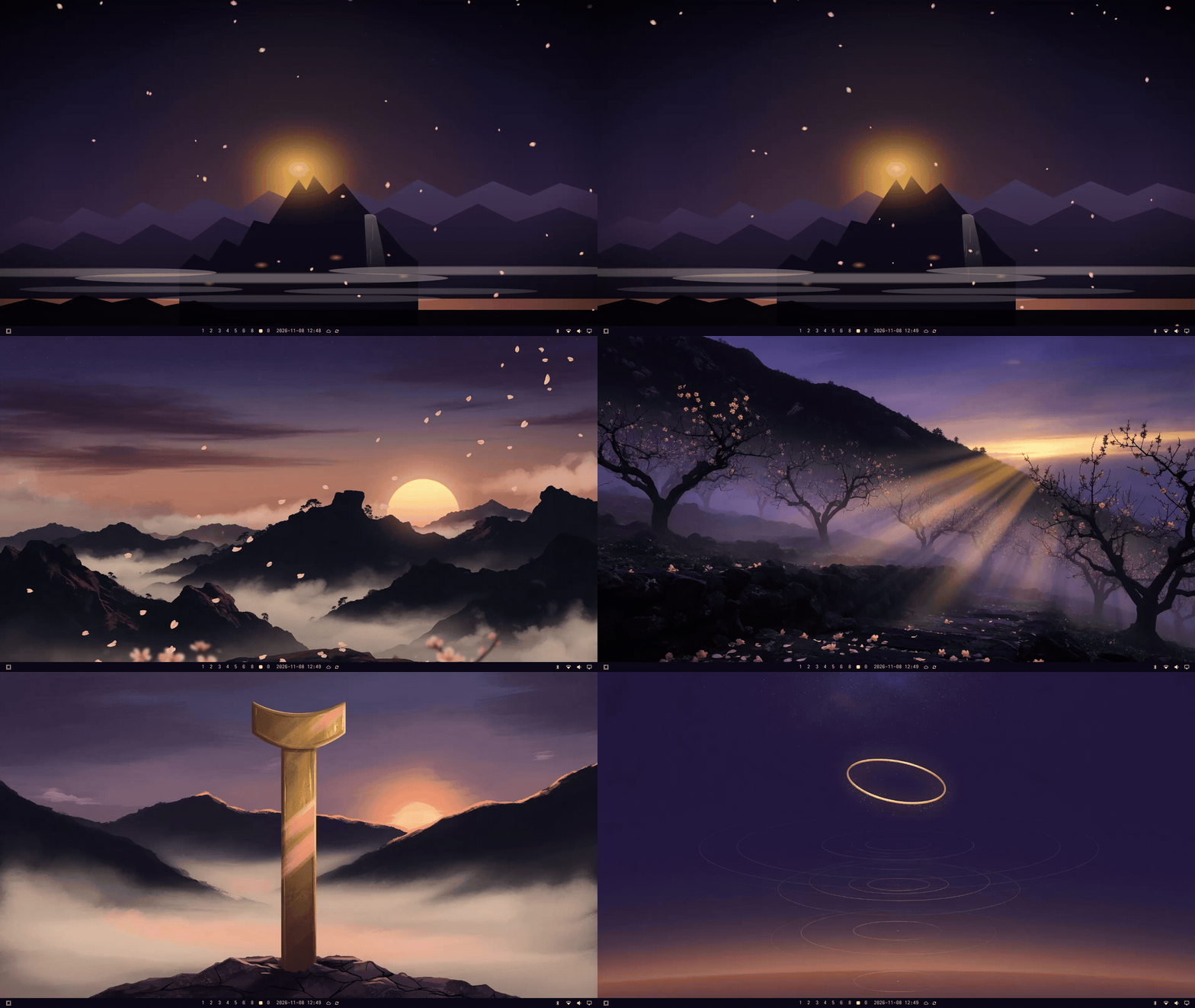
Animated blossom petals drift across the desktop, blown by random wind, alongside a pulsing summit glow and an animated waterfall. The live preview above showcases the animation and wallpaper cycling. Install both the theme and the live plugin below to enable the animation.
Palette Highlights
- Background: Deep Obsidian (
#0d0a1a,#050308,#020203) - Accent: Sunburst Amber (
#f5a524) - Highlights: Dawn Peach (
#f4a48a) and Golden Staff (#f8d28a) - Foreground: Natural Rice Ink (
#e7e5dd) with 15.5:1 WCAG contrast ratio
Installation
Install the theme and live animation using the official Omarchy commands below. Review and confirm the plugin trust prompt when asked:
omarchy theme install https://github.com/monkeyking-hq/omarchy-flower-fruit-mountain-theme.git && omarchy plugin add https://github.com/monkeyking-hq/omarchy-flower-fruit-mountain-theme.git --enableOmarchy will clone and activate the theme, then install and enable its live animation plugin.
Live animation
If the theme is already installed without its live animation plugin, install and enable the plugin separately:
omarchy plugin add https://github.com/monkeyking-hq/omarchy-flower-fruit-mountain-theme.git --enableThe plugin requires Omarchy's Quickshell-based shell with native plugin support, the QtQuick.Particles and QtQuick.Shapes QML modules, and Omarchy's qs.Ui.ScreenMoveRemap component. Validated on Omarchy 4.5.0-3. Omarchy installations missing these components, including desktops running Waybar without the Omarchy shell, cannot run this overlay.
The overlay follows the resolved wallpaper path at ~/.local/state/omarchy/current/background. It appears only when that path contains flower-fruit-mountain, and hides when you switch to another wallpaper path. It creates an overlay for each monitor, shares the random wind across screens, and scales the scene to match the wallpaper's crop. The summit glow and waterfall are positioned for the Flower-Fruit Mountain artwork.
Control the animation independently of the palette:
omarchy plugin disable flower-fruit-mountain
omarchy plugin enable flower-fruit-mountain
Update the installed plugin from this repository:
omarchy plugin update flower-fruit-mountainUpdates require a Git-managed installation that can fast-forward; local edits or a diverged checkout can prevent an update. The command shows the changes and asks for confirmation before applying them.
Applying the Theme Manually
If already installed, switch to this theme anytime via:
omarchy theme set flower-fruit-mountainOr open the interactive theme switcher:
omarchy theme switcherCycling Backgrounds
This theme includes custom backgrounds in 4K resolution:
- Flower-Fruit Mountain at Dawn
- Dawn Ridges
- Peach Blossom Grove
- The Golden Staff
- The Circlet
Cycle to the next background:
omarchy theme bg nextOr open the background switcher:
omarchy theme bg-switcherUniversal Code
This project follows the Universal Code v1.0.0.
License
Released under the MIT License.