color palette
#060a14
#e8fcff
#22e4ff
#22e4ff
#14294a
#e8fcff
#010206
#ff3b6b
#44ffaa
#ffaa33
#3ac8ff
#ff6bd6
#22e4ff
#e8fcff
#4a6b82
#ff4d7a
#7dffcb
#ffc46b
#6bd4ff
#ff8fe0
#6befff
#e8fcff
preview
readme
CyberPhunk
the fook is in the machine that's P-Funk in the machine. that's funkadelic, baby.
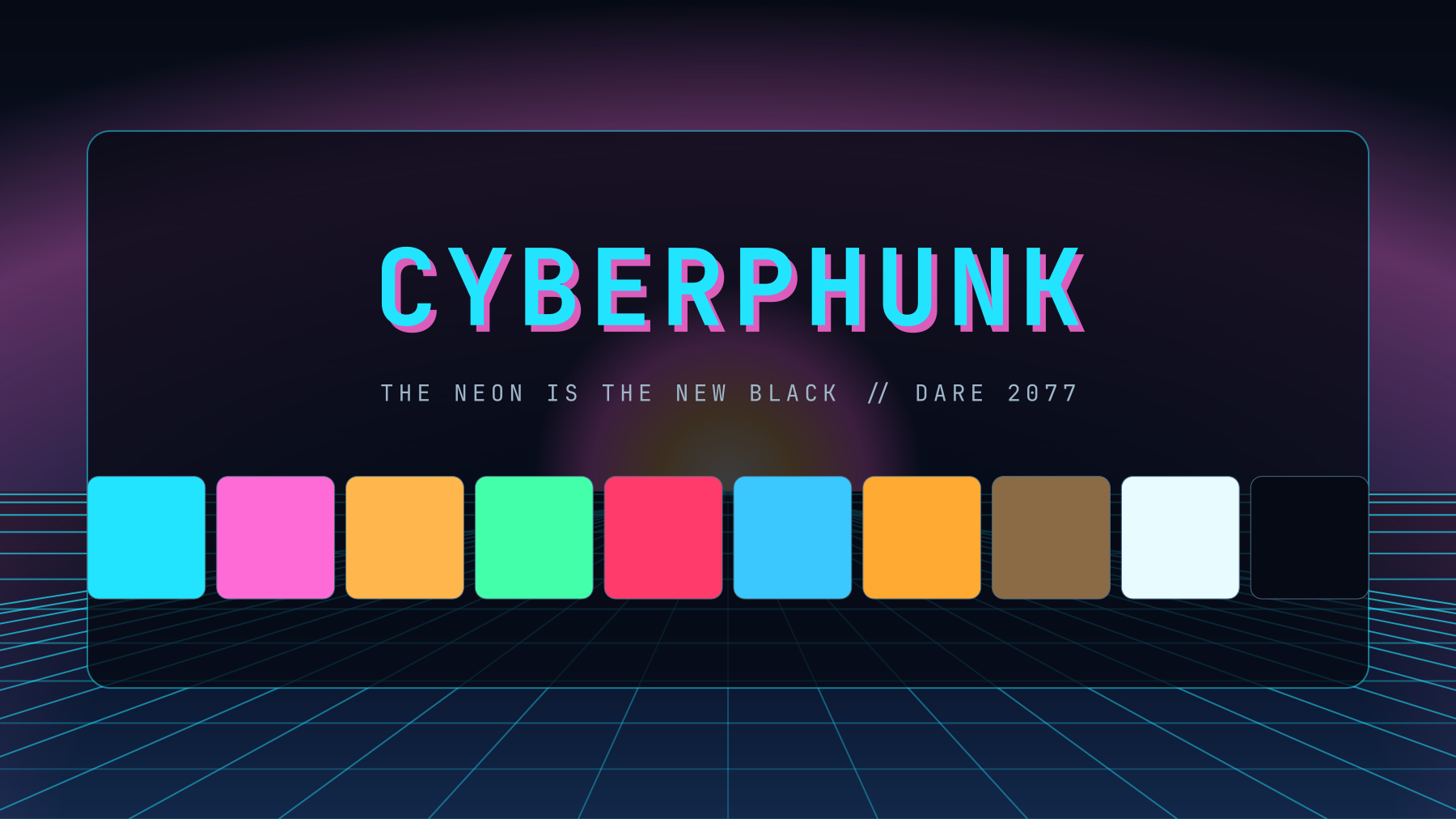
It's 2077 in your terminal, and the neon is the new black. The Mothership glow meets a funky James Brown "Cold Sweat" groove run through a synthesizer. We don't get it — we got it.
This is a funkdafied cyberpunk reskin for Omarchy and opencode — one shared palette (cyan / pink / amber on a near-black grid) bolted onto the whole machine. Get down: we don't ship a color file, we ship a rhythm section.
Two kits, one fook:
- The desktop theme (the main event) — one
colors.tomlat the repo root, and Omarchy does the rest: neon Hyprland borders with a cyan→magenta glow, every terminal, btop, helix, nvim, VS Code, the bar, the lock screen. Comes with cosmic-funk future-city wallpapers that double as your lock screen. - The opencode TUI plugin (the cherry) — a boot splash that actually
boots, a status pill that never blinks off, The Deck (
ctrl+d) where the machine talks back to you, and a verb set that sounds better than it should.
Both are MIT, both live in this one repo, no forks and no daemons, and they
stay in sync — tweak one hex in colors.toml and the entire rig re-gloves
itself.


Desktop preview
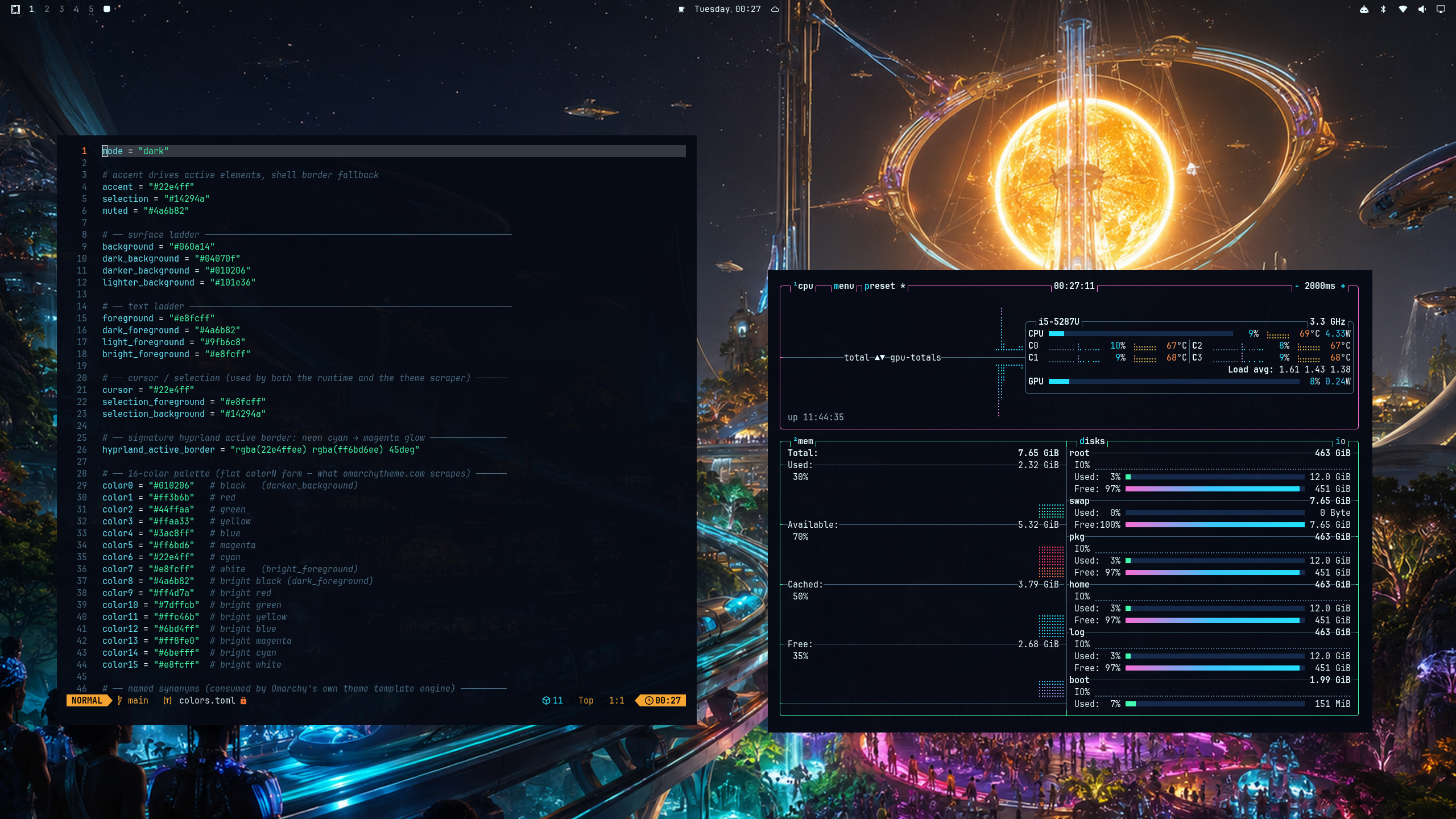
The palette
One hex, the whole rig. The signature is cyan #22e4ff → magenta #ff6bd6
on the active border — the rest of the surface ladder, text, and cursor hang
off those two:
 |  |  |  |  |  |  |
#22e4ff | #ff6bd6 | #ff7a33 | #44ffaa | #3ac8ff | #ff3b6b | #e8fcff |
All sixteen live in colors.toml, so a single edit re-gloves terminals,
editors, btop, the bar, the lock screen, and the TUI in one pass.
Requirements
- Desktop theme: Omarchy. (On a non-Omarchy box
the palette file still works — point any app at
colors.toml. It's just less one command.) - TUI plugin (optional): opencode ≥ 1.18. Test-run against 1.18.23. The bundled Bun inside the opencode binary loads the plugin; no extra runtime to babysit.
Quick start
git clone https://github.com/derejealemu/omarchy-cyberphunk-theme && cd omarchy-cyberphunk-theme
bash install.sh          # opencode TUI (restart opencode when done)
bash install-theme.sh    # Omarchy desktop theme
omarchy theme set cyberphunk
To install the theme only (no opencode / no TUI plugin):
git clone https://github.com/derejealemu/omarchy-cyberphunk-theme && cd omarchy-cyberphunk-theme
bash install-theme.sh
omarchy theme set cyberphunk
Or via Omarchy's own theme-installer (works on any Omarchy box, no clone):
omarchy theme install https://github.com/derejealemu/omarchy-cyberphunk-theme.git
omarchy theme set cyberphunk
What the desktop theme ships
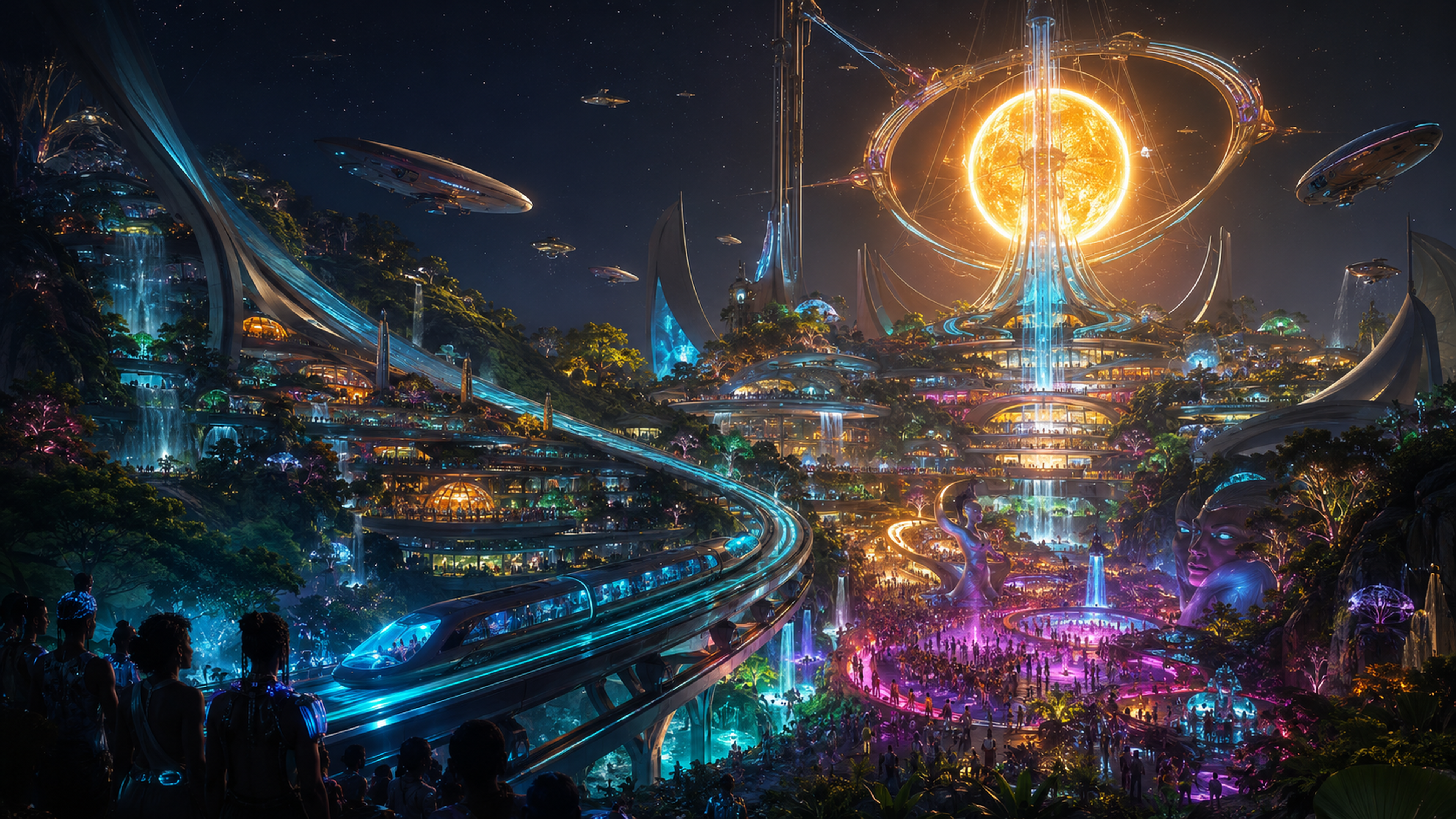
colors.toml— the source of truth. One file, sixteen neon colors, the surface ladder. Omarchy reads it and paints everything else.hyprland.conf— the signature: a neon cyan→magenta gradient on the active window border (ships as a theme-dir override, the same mechanism retro-82/kanagawa/lumon use).backgrounds/*.png— four cosmic-funk futures: the Mothership arriving as the world's biggest synth party, a fusion-lit garden city that already solved the boring problems, a serene orbital soul station, and the Last Train Home— silent clean transit carrying people through a restored forest toward warm lights in the valley. They're your wallpaper and your lock screen (Omarchy blurs the current wallpaper behind the lock panel).
What the opencode TUI plugin gives you
- The neon palette, applied through opencode's own theme API.
- A boot splash that looks like it's waking the machine up: emblem,
wordmark, each subsystem lighting up in turn, a boot bar that fills, then a
◆ READY — press a keyhold before it clears. - A status pill pinned to the bottom of every screen: brand · title · model · cost · live feed tail. It never blinks off.
- The Deck (
ctrl+d) — the machine's HUD. Model, cost, tokens, message count, your open todos with status, and a live event feed.escputs it back to sleep. - A verb set:
/deck,/cyberphunk.on,/cyberphunk.off,/cyberphunk.notify,/cyberphunk.diag. - Attention: a desktop ping +
errorsound when a session throws. Only when the window is blurred — it doesn't interrupt the work, it interrupts the silence.
Keyboard map (TUI):
| What | Keyboard | Verb |
|---|---|---|
| The Deck (HUD) | ctrl+d | /deck |
| Close deck/dialog | ctrl+e / esc | /deck-close |
| Enable/disable UI | — | /cyberphunk.on / /cyberphunk.off |
| Test notification | — | /cyberphunk.notify |
| Write API snapshot* | — | /cyberphunk.diag |
* Snapshot lands at ~/.local/state/cyberphunk/api-diag.json.
State survives restarts (via opencode's kv store); /cyberphunk.off
leaves the theme + slots up and only mutes the splash, deck, and
notifications.
Uninstall
# desktop theme
omarchy theme set catppuccin   # or whatever you were running before
rm -rf ~/.config/omarchy/themes/cyberphunk

# opencode TUI plugin
rm ~/.config/opencode/plugins/cyberphunk.ts
# and remove the "plugin" entry from ~/.config/opencode/tui.json
Nothing else lingers.
Repo layout
colors.toml              # the palette — the whole rig hangs off this
hyprland.conf            # the neon cyan→magenta gradient border (theme-dir override)
backgrounds/*.png        # cosmic-funk wallpapers + lock-screen art
preview.png              # the neon card image the gallery shows
preview-unlock.png       # the picker's unlock preview
unlock.png               # the wordmark on the unlock screen
icons.theme              # icon set preference
lazygit.yml              # matching lazygit palette (installed if absent)

src/plugin.ts            # the opencode TUI plugin
src/cyberphunk.theme.json  # the opencode TUI theme (kept in lockstep)

install.sh               # TUI plugin installer (idempotent, backs up tui.json)
install-theme.sh         # desktop theme installer (idempotent)
README.md  LICENSE  AGENTS.md  package.json  tsconfig.json
Develop
There is no build step and no test runner. The file ships as-is; the oracle is your eyes.
npm i            # dev deps: typescript, @types/node
npm run typecheck
Theme: edit colors.toml, then om theme set cyberphunk to re-glove the
rig. Plugin: edit src/plugin.ts, restart opencode, and read the probe
lines in ~/.local/state/cyberphunk/log.jsonl.
On the bench
Things we keep meaning to build:
- Bridge the kits — a TUI verb like
/cyberphunk.desktopthat runsom theme set cyberphunk, and/cyberphunk.bg nextto cycle wallpapers. So the terminal drives the desktop, and the desktop answers. - Keyboard RGB — a
keyboard.rgbmatching the palette, so even the keys glow. - A wallpaper pack — four cosmic-funk scenes is a start; the Mothership always has another destination.
- Sound — a real boot chime + a notification tone that actually sounds like something worth hearing.
- Registry — an AUR package and/or a
curl | bashone-liner, because one more command is one command too many.
License
MIT — do with the neon whatever the matrix allows. See LICENSE.