color palette
preview
readme
Omarchy Bad Hand Theme
This is a custom theme for Omarchy.org
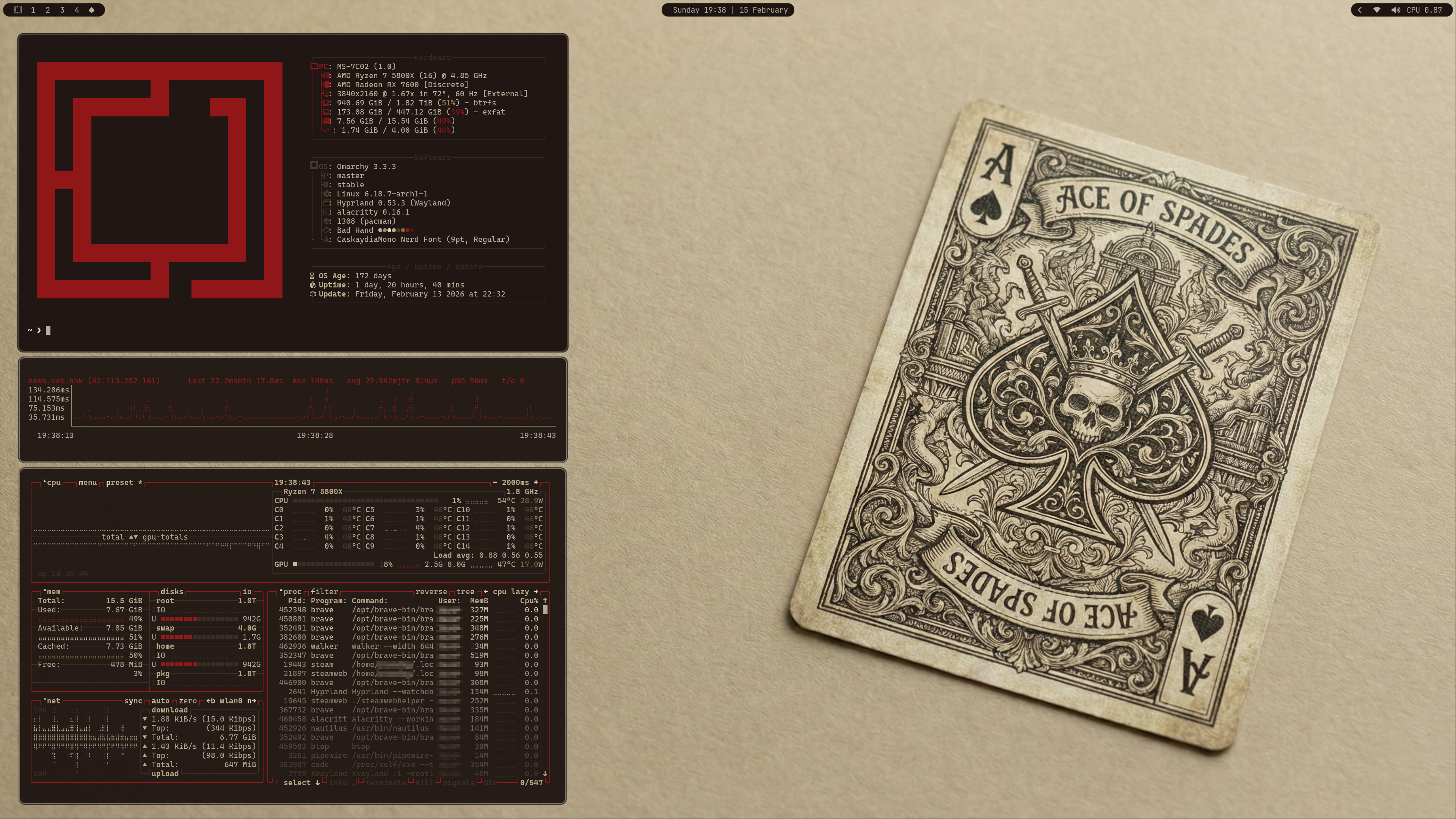
This theme draws inspiration from vintage playing cards and aged paper, evoking the atmosphere of an old gambling hall. The Bad Hand Theme uses a warm sepia palette with deep crimson accents, capturing the timeworn elegance of antique card decks while also keeping the grit of worn paper and well played cards.
Installation
To install this theme, simply use the omarchy-theme-install command:
omarchy-theme-install https://github.com/bjornramberg/omarchy-bad-hand-theme
Included Configurations
This theme includes configurations for:
- Alacritty (alacritty.toml) - Terminal emulator
- btop (btop.theme) - System resource monitor
- Chromium (chromium.theme) - Chromium-based browsers
- Color Palette (colors.toml) - Base color definitions for the theme
- Ghostty (ghostty.conf) - Terminal emulator
- Hyprland (hyprland.conf) - Wayland compositor
- Hyprlock (hyprlock.conf) - Screen locker for Hyprland
- Icons (icons.theme) - System icon theme
- Kitty (kitty.conf) - Terminal emulator
- Mako (mako.ini) - Notification daemon for Wayland
- Neovim (neovim.lua) - Text editor
- SwayOSD (swayosd.css) - On-screen display for volume/brightness
- Walker (walker.css) - Application launcher
- Warp (warp.yaml) - Terminal emulator
- Waybar (waybar.css) - Status bar for Wayland
- Wofi (wofi.css) - Application launcher for Wayland
- Zed (aether.zed.json, aether.override.css) - Code editor
Included backgrounds
AI disclosure: AI was used in the creation of the background pictures for this theme.