color palette
#10081C
#F2E8FF
#FF52B0
preview
readme
Asphalt Legends — Omarchy theme
Remember the races? The hyprdrive? TouchDrive, even? Maybe not so much the microtransactions. What if your desktop felt like you’re quirk-screwing and nitro-boosting through that neon-drenched night pack — magenta city glow, cyan streaks, purple-black asphalt under the wheels — instead of another flat dark mode that could belong to anyone? Hyprland’s active border runs the same dual-accent trick as HEV, Galuga, CS, Cyber Shadow, Doom 2016, Eternal, Caged, KI, Rising, Stanley, SF6, T2D & USFIV: magenta → cyan at 45°.
Neon night-pack theme for Omarchy. Inspired by the look of Asphalt Legends — not affiliated with Gameloft (see Credits below).

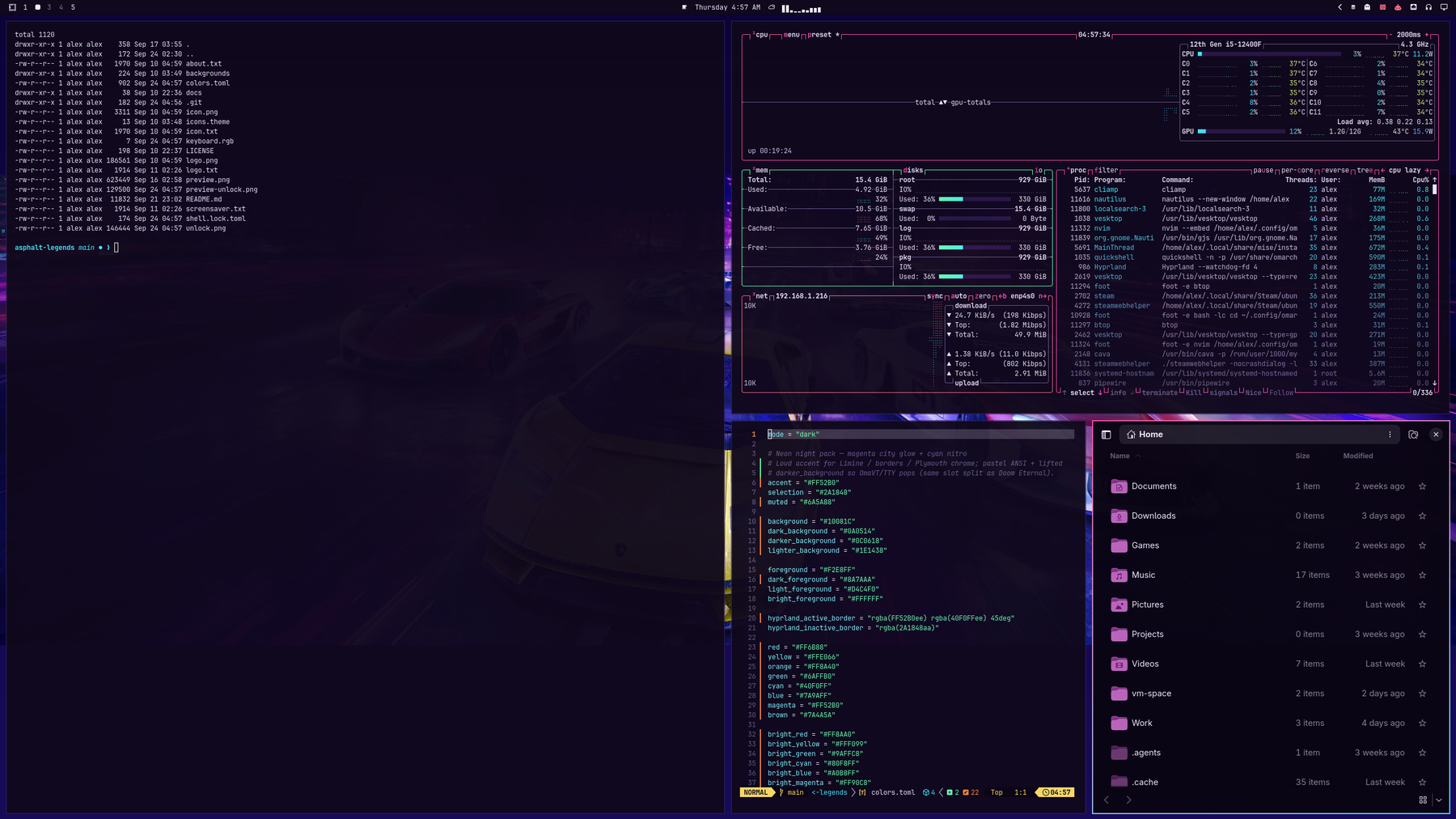
Also in this series: HEV Suit, Operation Galuga, Counter-Strike, Cyber Shadow, Doom 2016, Doom Eternal, Half-Life Caged, Killer Instinct, Metal Gear Rising, Stanley Parable, Street Fighter 6, Terminator 2D: NO FATE, and Ultra Street Fighter IV.
Install
omarchy theme install https://github.com/AlxWolfenstein97/omarchy-asphalt-legends-theme.git
# optional — About + screensaver ASCII for this theme (skippable; see Branding)
cp ~/.config/omarchy/themes/asphalt-legends/about.txt ~/.config/omarchy/branding/about.txt
cp ~/.config/omarchy/themes/asphalt-legends/screensaver.txt ~/.config/omarchy/branding/screensaver.txt
That clones and applies the theme (omarchy-theme-set runs inside
theme install). Do not follow with another omarchy theme set — a second
set skips the first wallpaper and just wastes a switch.
Or clone into place (then you do need an explicit set):
git clone https://github.com/AlxWolfenstein97/omarchy-asphalt-legends-theme.git ~/.config/omarchy/themes/asphalt-legends
omarchy theme set "Asphalt Legends"
# optional branding — same as above
cp ~/.config/omarchy/themes/asphalt-legends/about.txt ~/.config/omarchy/branding/about.txt
cp ~/.config/omarchy/themes/asphalt-legends/screensaver.txt ~/.config/omarchy/branding/screensaver.txt
Already installed and just switching back later:
omarchy theme set "Asphalt Legends"
# optional — re-apply this theme’s About / screensaver marks
cp ~/.config/omarchy/themes/asphalt-legends/about.txt ~/.config/omarchy/branding/about.txt
cp ~/.config/omarchy/themes/asphalt-legends/screensaver.txt ~/.config/omarchy/branding/screensaver.txt
Cycle wallpapers with omarchy theme bg next.
What’s in the pack
| Asset | Role |
|---|---|
colors.toml | Palette (the real theme) |
backgrounds/ | Wallpapers |
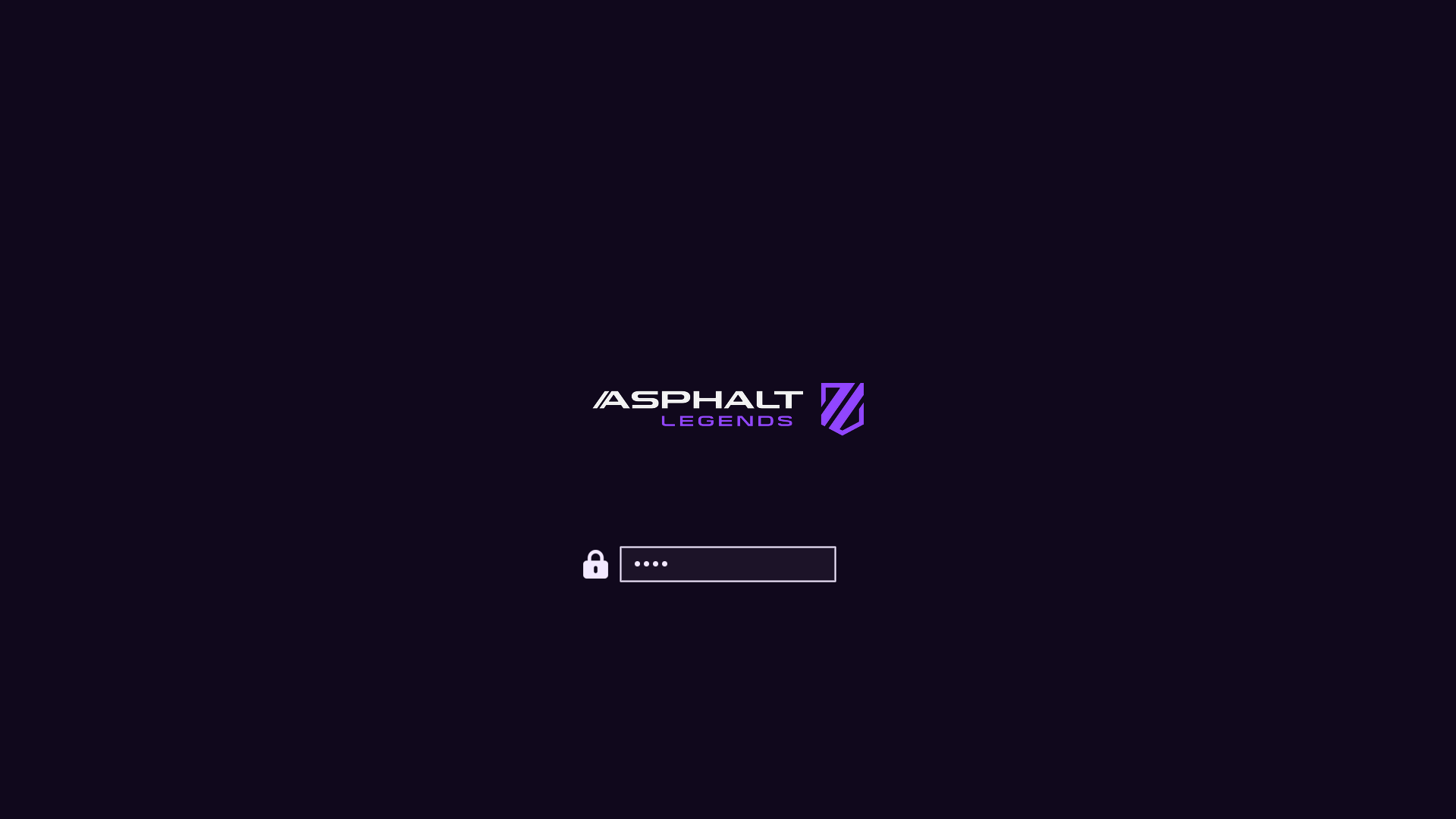
unlock.png / preview-unlock.png | Plymouth unlock + picker mockup |
preview.png | Theme switcher preview |
icon.txt / logo.txt (+ about.txt / screensaver.txt) | About & screensaver ASCII branding |
icon.png / logo.png | Same marks as images (README + optional “Set From Image”) |
Branding (About / screensaver)
Optional. Omarchy’s About screen and screensaver read from
~/.config/omarchy/branding/. Shipping per-theme .txt marks isn’t original —
other Omarchy 3.x themes did it — but it’s the fast path if you want this
pack’s wordmark on idle and on About without hunting files.
Prefer the .txt files and the cp lines in Install. That’s
what you’re meant to see. Editing the text also works (Style → About /
Screensaver → Edit Text).
Skip the cp if you already have custom logos / screensaver art you care
about — or back those up first. The branding slot is really meant for your
marks (put personal art somewhere easy to reach). The Style file picker works,
but drilling into ~/.config/omarchy/themes/... is slow busywork for something
optional. Don’t feel obliged to bring mine.
The .png versions are here for the README and for a quick Style → Set From
Image try. In my experience Omarchy’s image→ASCII path is a bit thinicky on
color and boxing, so don’t expect magic from the PNGs — the hand text is the
good path.
Screensaver / logo ASCII follows the current site wordmark proportions —
ASPHALT over LEGENDS, with the AL shield on the right (no empty lines).
About / icon is the funky AL shield alone (same silhouette as icon.png).
Unlock
Style → Unlock → pick this theme (unlock.png / preview-unlock.png).
Extend further with plugins
This repo is palette + assets on purpose. Omarchy already colour-coordinates
the shell, terminals, and editor from colors.toml. The plugins below push that
idea as far as it can reasonably go — optional extenders, not required theme
baggage. Themes keep working without them; authors can stick to the snappier
stock pipeline if they prefer.
They do not depend on each other. Pick what you want; run the whole inch-a-lada if you want the desktop to feel like yours.
Why these even exist
Asphalt Legends landed well inside Omarchy’s usual theming system — which is
exactly what made me look back at how I’d done things on Archinstall +
Hyprland + Noctalia 4.x.
Omarchy 3.x (and even 4.x before you count the shell) only goes so far on
purpose; fair enough. After seeing a theme sit this cleanly on stock Omarchy, I
wanted to extend that system with some care: standards for when to stop, traps
learned the hard way, and something that could go further than the one-palette
manual rice I’d had on Noctalia — while still working across every
colors.toml theme. That also makes it more worth doing more themes (mine or
anyone else’s who finds these): the desktop can follow the palette farther
without each theme shipping a private stack. Build one good theme, build good
extenders, build more good themes that work as a base and with the
extenders — then circle back. Not an accident.
The plugin marketplace feels a bit like a game workshop — except you’re not modding a game, you’re modding the system. A few of those “just a few things” DHH talked about, until they add up. These extenders should be on the plugins place soon if they’re not already by the time most people see this. I figured someone else would be first to fill some of these gaps; contributing this kind of thing is still fun, and it gave me a reason to try themes and plugins with AI, and to learn what “they run unsandboxed code” actually means by the time we were touching bootloader colours — you can touch everything. That’s how you get thousands of plugins in a month: AI and a powerful shell. I picked up a thing or five for whatever Arch (or car) experiment comes next, if ever.
The big sweep
- Chroma — GTK3 / GTK4 / libadwaita + Qt in one hook (file manager, Document Viewer, BleachBit, File Roller, qBittorrent, qpwgraph, …). No Style picker: it paints the toolkits most apps already use, not each app by name. Longer “why / where we stop” lives in that README. Craft inspiration: Accord proved the Omarchy → libadwaita CSS bridge; Chroma is the extender this theme points people at.
One-surface Style plugins (palette previews + apply)
These sync from colors.toml across every installed theme (stock, user,
foreign). Several ship a Style carousel so you can preview the same surface
across all your themes faster than flipping by hand — even when theme-set
already keeps them in lockstep.
| Plugin | What it themes |
|---|---|
| OmaOBS | OBS Studio (real Yami Omarchy.ovt) |
| OmaCursor | Pointer / Adwaita XCursor recolor (+ optional SDDM) |
| OmaHud | MangoHud colours only — live in-game retint; Goverlay keeps metrics/layout |
| OmaBoot | Limine boot menu colours |
| OmaVT | Virtual console / TTY palette |
| OmaTTY | Console font (Terminus-first, accessibility) |
Boom-in — one paste. --enable --yes skips the per-plugin clone/enable
prompts; arm-all then arms deps + Style/theme-set + root/SDDM/DRM (no Y/n).
Omit any plugin add line you do not want; arm-all only touches what is
installed. Sudo may ask once — that is the boom, not a menu.
omarchy plugin add https://github.com/AlxWolfenstein97/chroma.git --enable --yes
omarchy plugin add https://github.com/AlxWolfenstein97/omaobs.git --enable --yes
omarchy plugin add https://github.com/AlxWolfenstein97/omacursor.git --enable --yes
omarchy plugin add https://github.com/AlxWolfenstein97/omahud.git --enable --yes
omarchy plugin add https://github.com/AlxWolfenstein97/omaboot.git --enable --yes
omarchy plugin add https://github.com/AlxWolfenstein97/omavt.git --enable --yes
omarchy plugin add https://github.com/AlxWolfenstein97/omatty.git --enable --yes
~/.config/omarchy/plugins/io.github.alxwolfenstein97.chroma/tools/arm-all-family.sh
Boom-out — one paste. Teardown + ledger pkg drop + plugin remove. Ledger drops only what we recorded pulling; may fail and stay if something else still needs the package (e.g. Goverlay after Pillow) — fine. Loud boom-in after this is enough — no tombstone purge needed (optional OCD flag lives on the plugin READMEs).
~/.config/omarchy/plugins/io.github.alxwolfenstein97.chroma/tools/wipe-all-family.shPiece-meal (not boom): one plugin’s Workshop paste — plugin add + interactive
install.sh (asks [Y/n]) — lives on that plugin’s GitHub README. Single-plugin
full wipe: …//uninstall.sh --yes.
Already solved elsewhere (gladly)
- Omacord — Vesktop / Vencord Discord
follows Omarchy themes live. No theme carousel / mockup picker: it syncs,
and that’s the right call. Chat mockups are content-shaped anyway — you
censor half the shot and still aren’t showing a true layout. I did not have
to extend the whole theming system for chat myself:
omarchy plugin add https://github.com/ASwenia/omacord --enable
Agent / desktop bridge
- OMCP — MCP desktop bridge
(themes, windows, apps, …). Made iterating this theme a lot easier;
screenshots sometimes need the agent’s session env wired up depending on the
client (Claude-first, others optional). Not my project to patch — credit stays
either way:
omarchy plugin add https://github.com/btsouth/omarchy-omcp --enable
Browse more on the Omarchy Plugins site.
Honest stop-line: these extenders only chase places that accept colour data (or a clean conversion). Websites, Steam chrome, document paper in LibreOffice, and similar “own paint engine / remote CSS” surfaces are out of scope on purpose — documented in Chroma’s README. Unthemed beats a half-assed chase.
Taste
Colours and contrast are tuned for what I like to look at. If they feel loud or
wrong for you, fork and retune colors.toml without guilt. (Console font sizing
for low vision lives in OmaTTY, not
this theme.)
Credits / legal-ish
- Visual inspiration and reference art from Gameloft’s Asphalt / Asphalt Legends branding and marketing. Not affiliated with, endorsed by, or sponsored by Gameloft. Just public pixels arranged into an Omarchy theme — no money, no official product.
- Official site wordmark (asphaltlegends.com)
supplies
unlock.png/logo.png/ Plymouth preview. - If Gameloft hates this existing, they can say so and I’ll deal with the repo accordingly.
- Theming extenders grew out of time on Archinstall + Hyprland + Noctalia (excellent engine — credit), then got rebuilt as optional Omarchy plugins once 4.x made agentic molding feel real. Cliamp’s Omarchy-themed radio did not hurt the mood either.
License
Do whatever you want with this theme pack unless Gameloft (or the law) says otherwise. Fork it, recolor it, ship it in a rice. No warranty — it’s wallpaper and hex codes.